Conditions & Exceptions
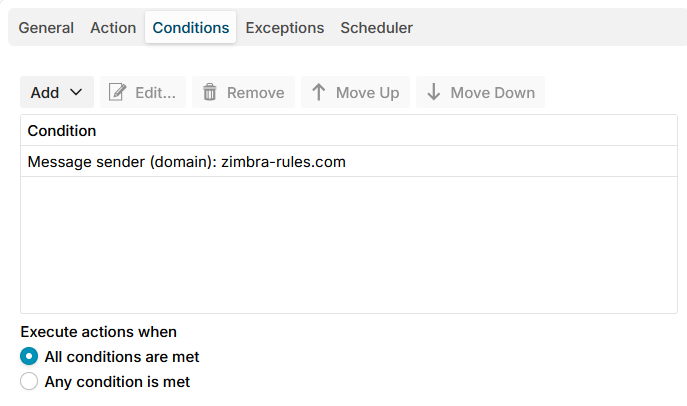
Limit rules use the conditions and exceptions below, on their Conditions and Exceptions tabs. They choose which messages the rule counts: a message that does not match is neither counted nor refused by the rule. For example, count only mail of users who logged in, or everything but the address list Exempt senders.
A limit rule is asked at DATA, when every recipient is known, so it is offered every condition of the SMTP rules, the same as the Data stage. The conditions work as in SMTP rules, and the links below go to their pages.
Both conditions and exceptions use the same set of rules. Exceptions are simply the logical opposite of conditions.
- When an exception is met, the action will not be performed on the message.
- When a condition is met, the action will be performed on the message.
The application first checks for exceptions. If no exceptions are met, it then evaluates the conditions. If the conditions are met, the action is executed on the message.
A value the mail server did not send never matches, and the processing trace names it, see What SMTP rules need from the mail server.
The recipient conditions and Message direction are matched against all the recipients of the message, and match when at least one of them matches.
Message
All messages
Matches every message. Use it with exceptions, or for a limit that counts every message.
See All messages condition.
Message direction
Matches by direction: incoming, outgoing or internal.
See Message direction condition.
Sender
Sender
Matches the envelope sender by email address, user, group or domain.
See Message sender condition.
Empty sender
Matches the empty sender (<>) of bounces, delivery notifications and read receipts. Add it as an exception to leave bounces out of a limit.
See Empty sender condition.
Sender in address list
Matches a sender on one of the chosen address lists.
See Sender in address list condition.
Recipients
Recipient
Matches a recipient by email address, user, group or domain.
See Message recipient condition.
Recipient in address list
Matches a recipient on one of the chosen address lists.
See Recipient in address list condition.
Number of recipients
Matches by how many recipients the mail server accepted.
See Number of recipients condition.
Connection
Client address
Matches the IP address the client connects from, by address, network or address list.
See Client address condition.
Client host name
Matches the host name of the client address, or a client without one.
See Client host name condition.
Received through
Matches how the client came in: incoming on port 25, submission, webmail from a mailbox server, or another port.
See Received through condition.
HELO name
Matches the name the client gave in HELO or EHLO.
See HELO name condition.
Authenticated user
Matches whether the sender logged in, and with which account. With logged in, with any account, a limit counts only your own users.
See Authenticated user condition.