Action
A limit rule has one action, the limit itself, edited right on its Action tab.
Two lines on top say the limit and what happens over it, for example At most 100 messages per hour for each sender. Over the limit the message is deferred. They follow every change of the fields below.
The fields are in three sections, picked on the left: Limit, Counting and When exceeded. A save that finds a field wrong opens its section.
Limit
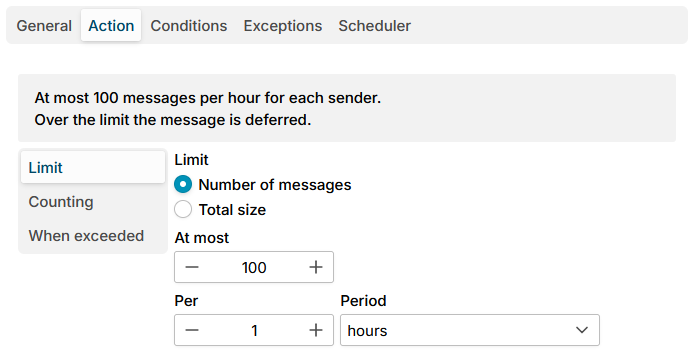
| Field | Meaning |
|---|---|
| Limit | Number of messages (default) or Total size |
| At most | How many messages, or how much size, per period. For Total size choose the Unit: KB, MB or GB. Default 100. |
| Per, Period | The period. A sliding period of a number of seconds, minutes, hours (default, 1 hour) or days counts what was sent in the last such time. A calendar period - calendar day (from midnight), calendar week (from Monday) or calendar month (from the 1st) - starts from zero at its beginning. |
Total size is known only at the end of the message. A message that would pass a size limit is refused whole then, before any other rule runs, with 451 4.7.1 when deferring or 552 5.3.4 when rejecting, and it is not counted. Such refusals show on the SMTP Events page with the stage End of message.
Counting
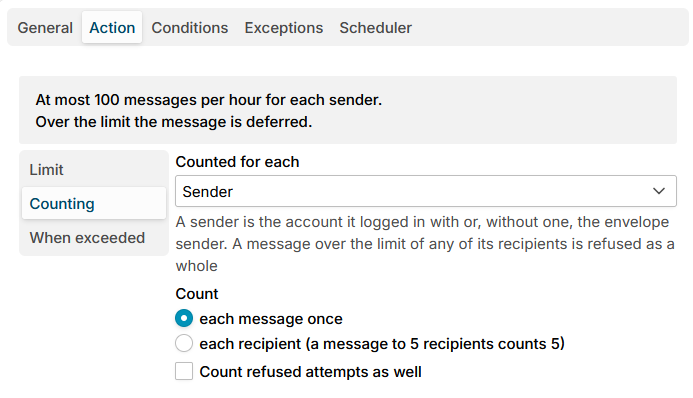
| Field | Meaning |
|---|---|
| Counted for each | Who has a counter of their own, see below |
| Count | each message once (default), or each recipient (a message to 5 recipients counts 5) |
| Count refused attempts as well | Off by default. When on, a refused message counts too, so a sender who keeps trying stays over the limit. |
Counted for each offers:
| Option | One counter for each |
|---|---|
| Sender (default) | Sender: the account the sender logged in with or, without a login, the envelope sender |
| Sender domain | Domain of that sender |
| Recipient | Recipient; a message takes a place in the counter of each of its recipients |
| Recipient domain | Domain of each recipient |
| Client network | Network the client connects from. IPv4 network / (default 32, one address) and IPv6 network / (default 64) set how large a network is. |
| Whole rule (one counter for everyone) | One counter for all the messages the rule counts |
A sender who logged in is counted under its login, whatever address it puts in MAIL FROM, so a compromised account cannot escape the limit by changing its sender address.
A message over the limit of any of its recipients is refused as a whole. A message with nothing to count it by, for example a bounce sent without a login to a limit by sender, is not counted, and the trace says so.
When exceeded
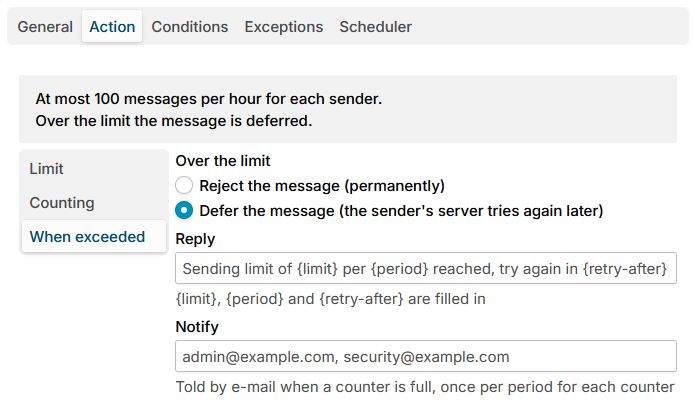
| Field | Meaning |
|---|---|
| Over the limit | Defer the message (the sender's server tries again later) (default) answers 451 4.7.1. Reject the message (permanently) answers 550 5.7.1. |
| Reply | The text after the code. {limit}, {period} and {retry-after} are filled in. Left empty, it is Sending limit of {limit} per {period} reached, try again in {retry-after} when deferring, and Sending limit of {limit} per {period} reached when rejecting. |
| Notify | Addresses told by e-mail when a counter is full, separated by commas, see Notices. |
The variables are filled in like this:
| Variable | Example |
|---|---|
{limit} | 100 messages, 500 recipients, 10 MB |
{period} | hour, 2 hours, calendar day |
{retry-after} | 12 minutes, 3 hours 20 minutes |
Defer is the usual answer to a rate limit: it is about timing, and the sending server delivers the message once the period has room again. Users of a mail client see the error and have to send again later.
Additional resources
- Limit rules - what the limit rules are for, and the notices
- Message limits - the counters and how to reset one
- Action of SMTP rules - how the other SMTP rules refuse