About MSH Zimbra Rules
Make your Zimbra Collaboration Suite smarter and more professional. This application lets you manage user signatures, disclaimers, and automatic replies with ease. Keep your company messages consistent, apply policies for different domains or teams, and automate tasks that save time. It installs on the Zimbra server, integrates with Zimbra's Postfix MTA through the milter protocol, and is managed entirely from a browser-based administrator panel. Simple to set up, flexible to configure - perfect for any organization that wants full control over all mail traffic.
Key Features
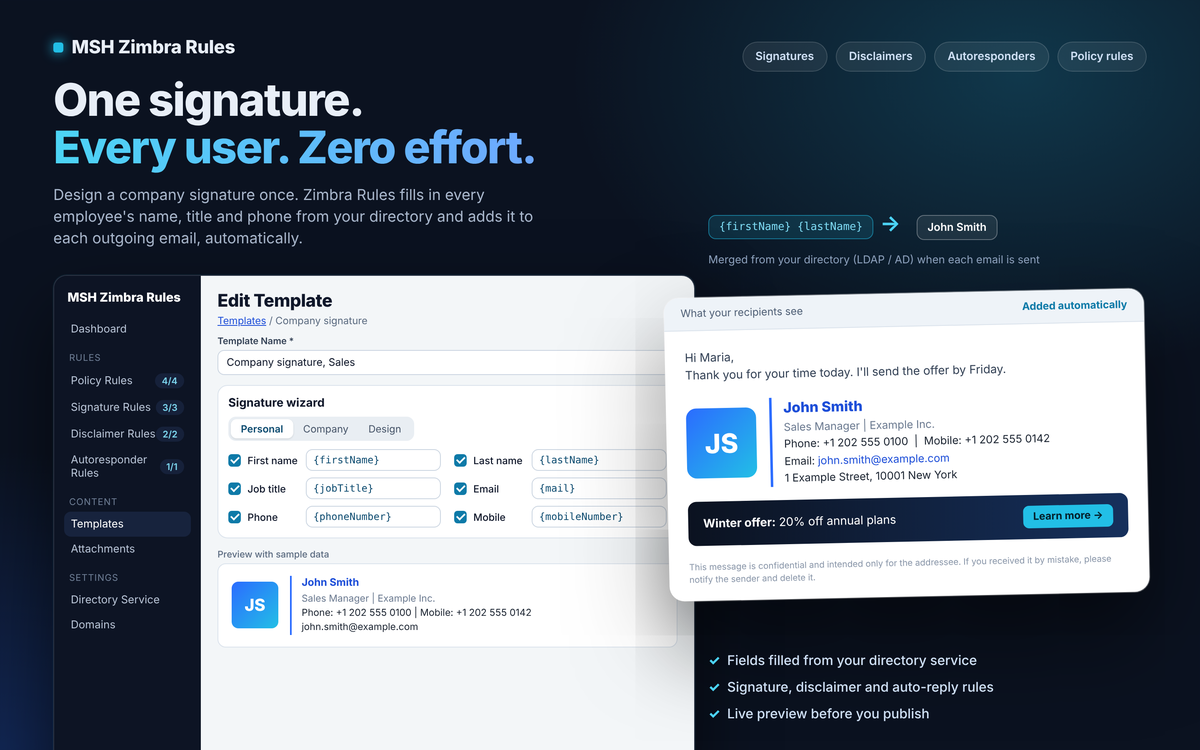
Email Signatures
Create and manage professional email signatures for your entire organization. Personalize each signature with LDAP variables taken straight from the Zimbra directory - {firstName}, {jobTitle}, {mail} and more - so every user sends mail with their own name, title, and contact details.
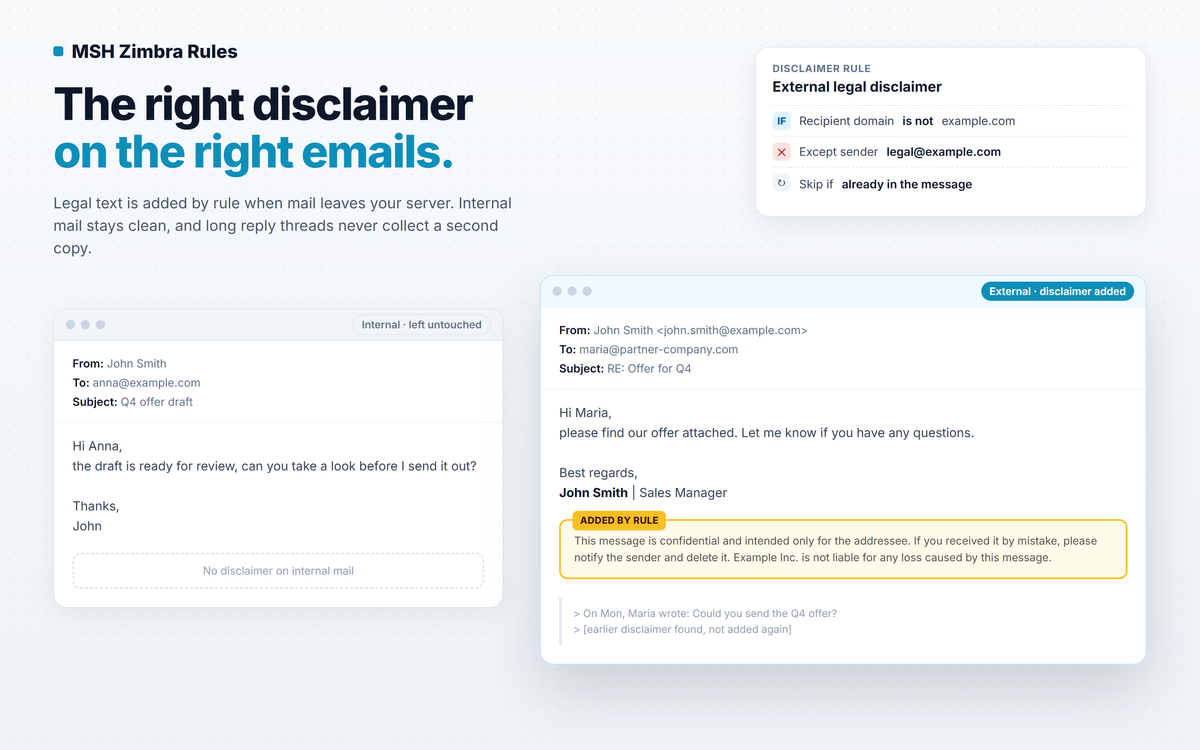
Disclaimers
Add legal disclaimers to messages automatically, at the top or bottom of the body. Comply with regulations and protect your organization with customizable disclaimer text, while duplicate protection keeps the disclaimer from stacking up through long reply threads.
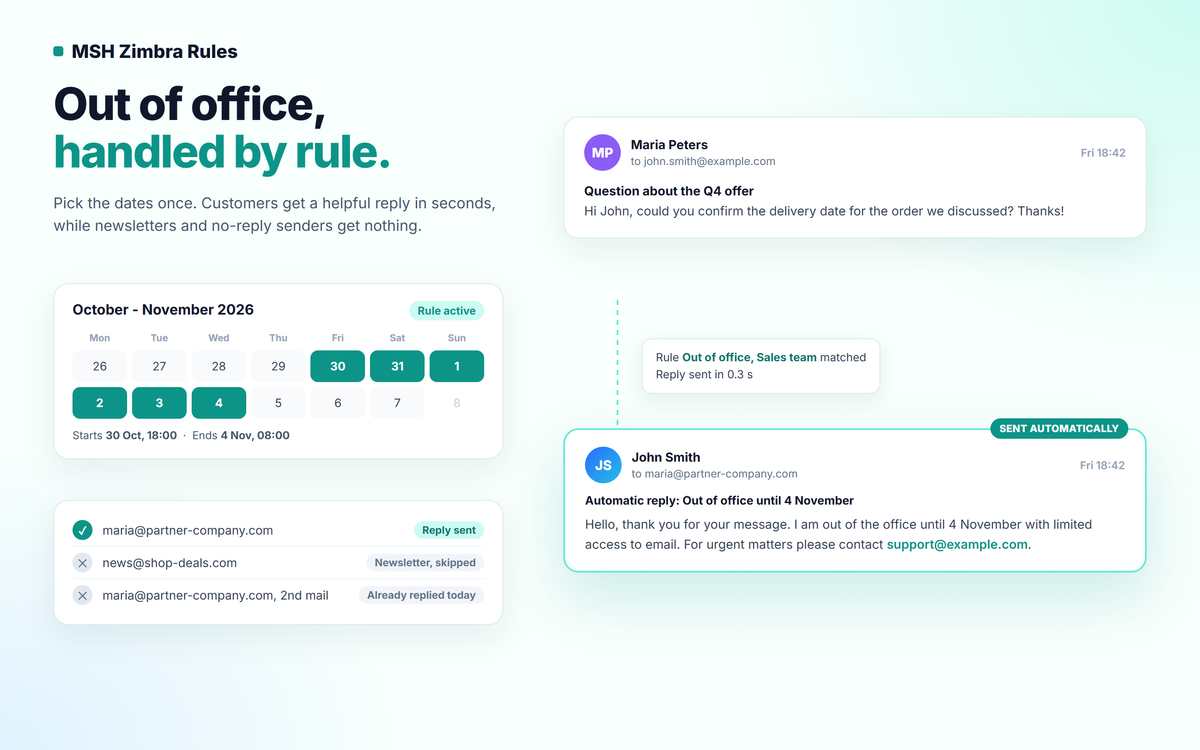
Auto Replies
Set up automatic replies for specific scenarios. Configure out-of-office messages, acknowledgment emails, and other automated responses with scheduling and built-in loop protection to streamline communication workflows.
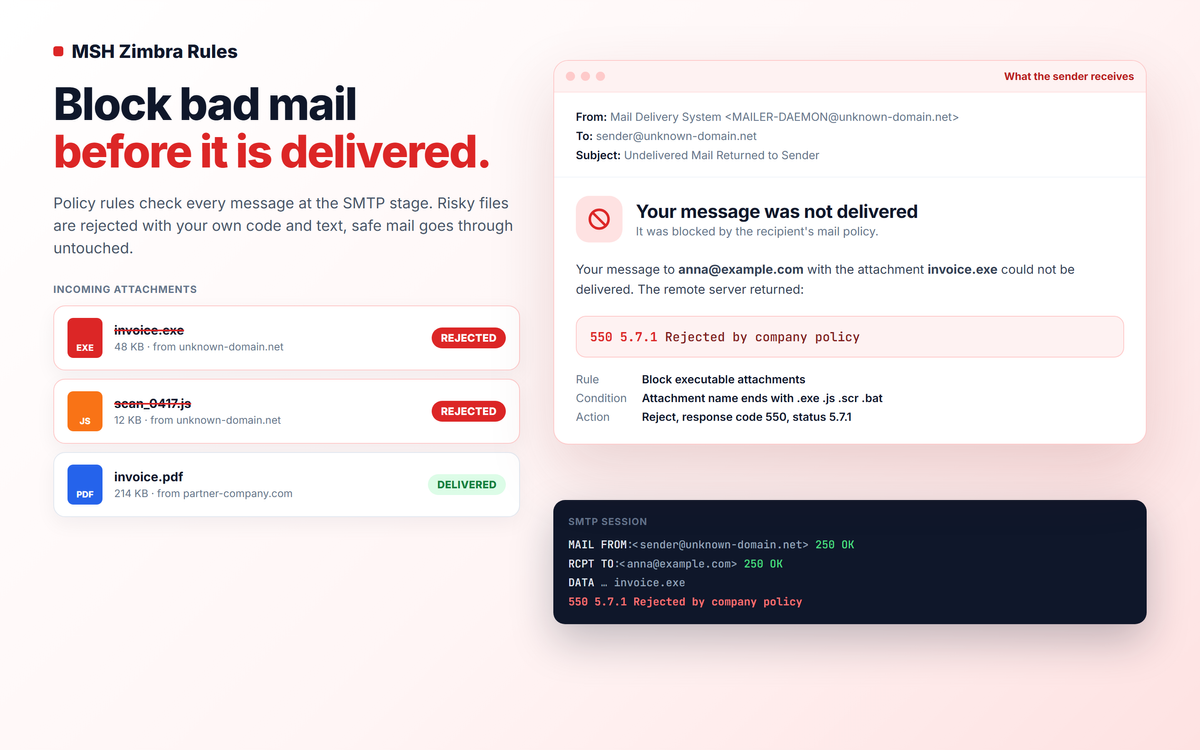
Policy Rules
Implement email policy rules to enforce organizational guidelines. Block, modify, or reroute messages, strip or compress attachments, manipulate headers, and forward mail - around 19 actions combined with conditions on sender, recipient, direction, headers, content, size, and attachments.