Received through
Matches how the client came in to the mail server. It is in the Connection group of the Add menu and is offered from the Connect stage on.
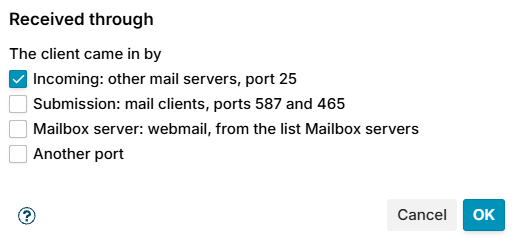
Tick one or more ways in The client came in by. The condition matches when the client came in by any of them.
| Option | Matches |
|---|---|
| Incoming: other mail servers, port 25 (default) | Mail from the internet: port 25, not submission and not a mailbox server |
| Submission: mail clients, ports 587 and 465 | A service marked ORIGINATING, as Zimbra marks its submission and 465 services, or the ports 587 and 465 |
| Mailbox server: webmail, from the list Mailbox servers | Mail from a client on the address list Mailbox servers, which is how Zimbra's webmail hands mail to the MTA, on port 25 and without a login |
| Another port | The port you enter in Port |
Add the address of every mailbox server to the list Mailbox servers on the Address Lists page, or webmail counts as incoming mail. The list starts empty.
What the mail server must send
The condition reads the macros {daemon_name} and {daemon_port}, which Postfix sends when a client connects. On Zimbra {daemon_name} is enough for Incoming, Submission and Mailbox server. Another port always needs {daemon_port}. See How the client came in.
The processing trace shows what the mail server sent, for example Service 'ORIGINATING', port not sent. When only {daemon_name} is sent, a service that is not ORIGINATING is taken for port 25. When neither is sent, the condition matches nothing and the trace says which macro to add.
Examples
- Rules for mail from the internet only: condition Incoming.
- Never refuse your own users: exception Submission and Mailbox server.