Client host name
Matches the host name of the client: the name the reverse DNS lookup of its address gives. It is in the Connection group of the Add menu and is offered from the Connect stage on.
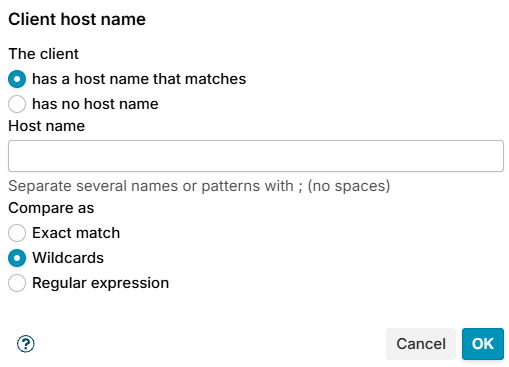
The client either:
- has a host name that matches (default) - enter the names in Host name, several separated by
;without spaces, and choose how they are compared in Compare as:- Exact match - the whole name, for example
mail.example.com. - Wildcards (default) -
*stands for any text, for example*.example.comor*.dynamic.*. - Regular expression - for example
^(dsl|dyn|ppp)[0-9-]+\..*.
- Exact match - the whole name, for example
- has no host name - the address has no reverse DNS name. Postfix reports such a client as
unknown, which counts as no name.
The whole name must match, and case does not matter.
Examples
- Refuse clients without reverse DNS at Connect, except your own: condition has no host name, exception Client address in the list Trusted networks. Many legitimate small servers lack reverse DNS too, so try it with Temporarily first.
- Refuse dial-up and dynamic ranges: Wildcards
*.dynamic.*;*.dsl.*;*.pool.*.