Authenticated user
Matches whether the client logged in to the mail server (SMTP AUTH), and with which account. It is in the Connection group of the Add menu and is offered from the Sender stage on.
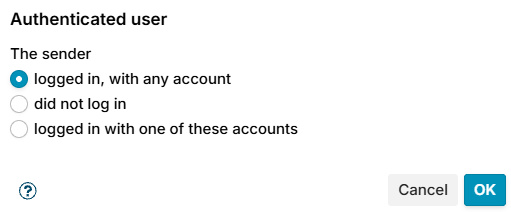
The sender is one of:
- logged in, with any account (default)
- did not log in
- logged in with one of these accounts - enter the login names in Accounts, as the mail server knows them, several separated by
;without spaces, and choose Compare as: Exact match (default), Wildcards or Regular expression.
On Zimbra the login is usually the full address, for example olivia@example.com.
The account comes from the {auth_authen} macro, which Postfix sends with MAIL FROM by default. If you shortened milter_mail_macros, keep {auth_authen} in it.
The login is not the sender address: a user can log in as one account and put another address in MAIL FROM. Use Sender to match the address, and this condition to match who actually logged in.
Examples
- Count only your own users in a limit: condition logged in, with any account.
- Refuse submission without a login: condition Received through Submission, condition did not log in.