Client address
Matches the IP address the client connects from. It is in the Connection group of the Add menu and is offered from the Connect stage on.
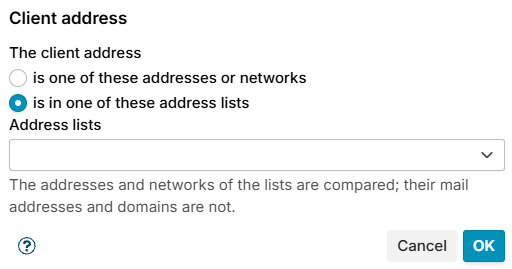
The client address is one of:
- is one of these addresses or networks - enter them in Addresses and networks, one per line: an IPv4 or IPv6 address such as
192.0.2.25, or a network in CIDR notation such as192.0.2.0/24or2001:db8::/32. - is in one of these address lists - choose one or more lists in Address lists. The addresses and networks of the lists are compared; their mail addresses and domains are not. See Address lists.
A new condition opens on the address lists. Keep networks you use in many rules, such as your own, on a list: a change to the list reaches every rule that uses it.
An IPv4 network matches only IPv4 clients. A client the mail server reports as ::ffff:192.0.2.25 (IPv4 mapped into IPv6) counts as 192.0.2.25. Host names are not accepted here; use Client host name.
The conditions table shows the condition as Client address: 192.0.2.0/24 or Client address in address list: Trusted networks.
Behind a load balancer every client has the address of the balancer, unless the balancer passes the real client with the PROXY protocol, see A load balancer in front of Postfix. Locally injected mail has no client address, so it never matches.
Examples
- Refuse a network at Connect: condition Client address
198.51.100.0/24. - Leave your own servers alone: exception Client address in the list Trusted networks.