Address lists
The Address Lists page keeps named lists of networks, addresses and domains that the conditions of several rules can share. A change to a list reaches every rule that uses it, so you keep, for example, your own networks in one place instead of in every rule.
Open Address Lists in the Content section of the navigation.
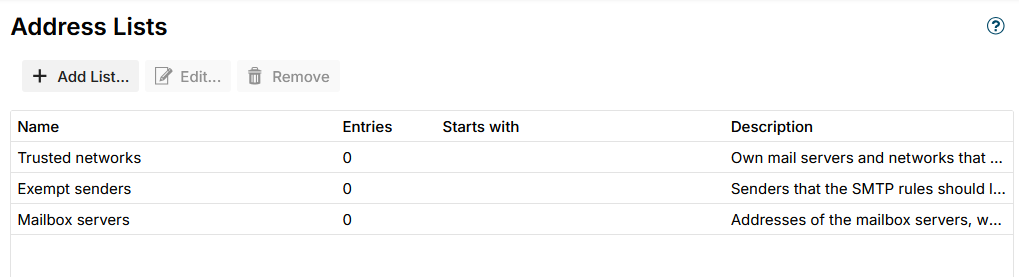
The lists
The grid shows each list with its Name, the number of Entries, the first entries under Starts with and its Description.
- Add List... - add a list.
- Edit... - change the selected list. Double-clicking a list does the same.
- Remove - remove the selected list, after a confirmation.
Every installation starts with three lists. They start empty; fill them in for your installation.
| List | Meant for |
|---|---|
| Trusted networks | Your own mail servers and networks, which the SMTP rules should leave alone |
| Exempt senders | Senders the SMTP rules should leave alone, such as a newsletter account |
| Mailbox servers | The addresses of the mailbox servers, whose webmail hands mail to port 25 without a login. The condition Received through Mailbox server asks this list. |
Trusted networks and Exempt senders do nothing on their own: they take effect where a rule uses them, usually as an exception.
Entries
A list has a Name, which must be unique, an optional Description, and its Entries, one per line:
| Entry | Example | Matches |
|---|---|---|
| An IP address, IPv4 or IPv6 | 192.0.2.25 | That address |
| A network in CIDR notation | 192.0.2.0/24, 2001:db8::/32 | Every address of the network |
| A mail address | olivia@example.com | That address only |
| A domain | example.com or @example.com | Every address @example.com, but not @sub.example.com |
| A mail address pattern | *@*.example.com, newsletter*@example.com | Addresses that fit the pattern; * stands for any text |
Case does not matter. Blank lines and duplicates are dropped when you save, and an entry that is not understood is named, for example Not understood: 192.0.2.300.
One list can hold both kinds of entries. Each condition compares only the kind it needs:
- Client address and Received through compare the addresses and networks.
- Sender in address list and Recipient in address list compare the mail addresses, domains and patterns.
Lists in use
A list a rule uses cannot be removed. Remove then names the rules that use it, for example SMTP rule "Let the partners in": change or remove those rules first.
The conditions table of a rule names the lists a condition asks, for example Client address in address list: Trusted networks.
Backup & Restore
Address lists are a section of Backup & Restore. Exporting the SMTP rules or the limit rules ticks the address lists as well, as the rules need them. On an import that adds to what is there, a list that is already present with the same content is not brought in twice, and one whose id is taken by another list comes in under a new id that the imported rules follow.
Additional resources
- SMTP rules - the rules that use address lists
- SMTP rule conditions - every condition of the SMTP rules
- Limit rules - limits that leave out a list with an exception, such as Exempt senders