Sender in address list
Matches a sender whose address is on one of the chosen address lists. It is In address list in the Sender group of the Add menu and is offered from the Sender stage on.
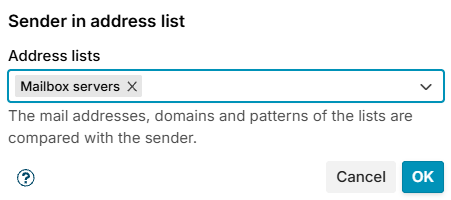
Choose one or more lists in Address lists. The mail addresses, domains and patterns of the lists are compared with the envelope sender (MAIL FROM); their addresses and networks are not. The empty sender never matches.
| List entry | Matches |
|---|---|
olivia@example.com | That address only |
example.com or @example.com | Every address @example.com, but not @sub.example.com |
*@*.example.com | Every address of a subdomain of example.com |
newsletter*@example.com | Addresses that fit the pattern; * stands for any text |
Case does not matter. See Address lists for how to keep the lists.
The conditions table shows the condition as Sender in address list: Exempt senders.
Example
Leave a newsletter account out of every limit: put its address on the list Exempt senders and add the exception Sender in address list Exempt senders to the limit.