Remove attachments by name
This action lets you remove attachments from an email based on their names.
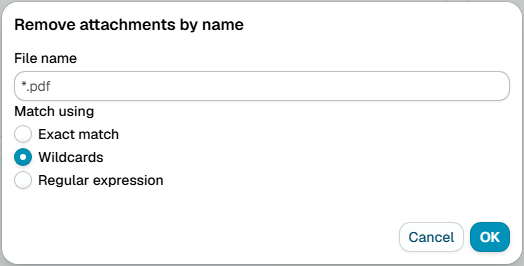
Match using
Choose how to match the attachment name using:
- Exact match
- Wildcards
- Regular expression
Attachment name
Attachment file name to match.
Examples
invoice.pdf- remove a specific invoice file*.exe- remove all executable filesreport_2025_*.docx- remove all 2025 report documents_draft- remove any file marked as draft
note
Messages in a signed or encrypted container (S/MIME, PGP/MIME) are left untouched, because removing their parts would break the signature or the encryption. A message whose text merely begins with a typed PGP armor line does not count, so its attachments are removed as usual. The trace of a skipped action says that a rule on Message type Signed or Encrypted can block, quarantine or report such messages.