Rules processing
The Rules Processing page switches rule processing off and on without changing the rules themselves. Use it when you need to stop the rules for a while - during a template migration, while investigating a problem, or during maintenance - and bring back exactly the previous setup afterwards.
Open it from Rules Processing in the Rules section of the navigation. The page is open to accounts with the ADMIN role only; other accounts see the notices described below, but cannot change the switches.
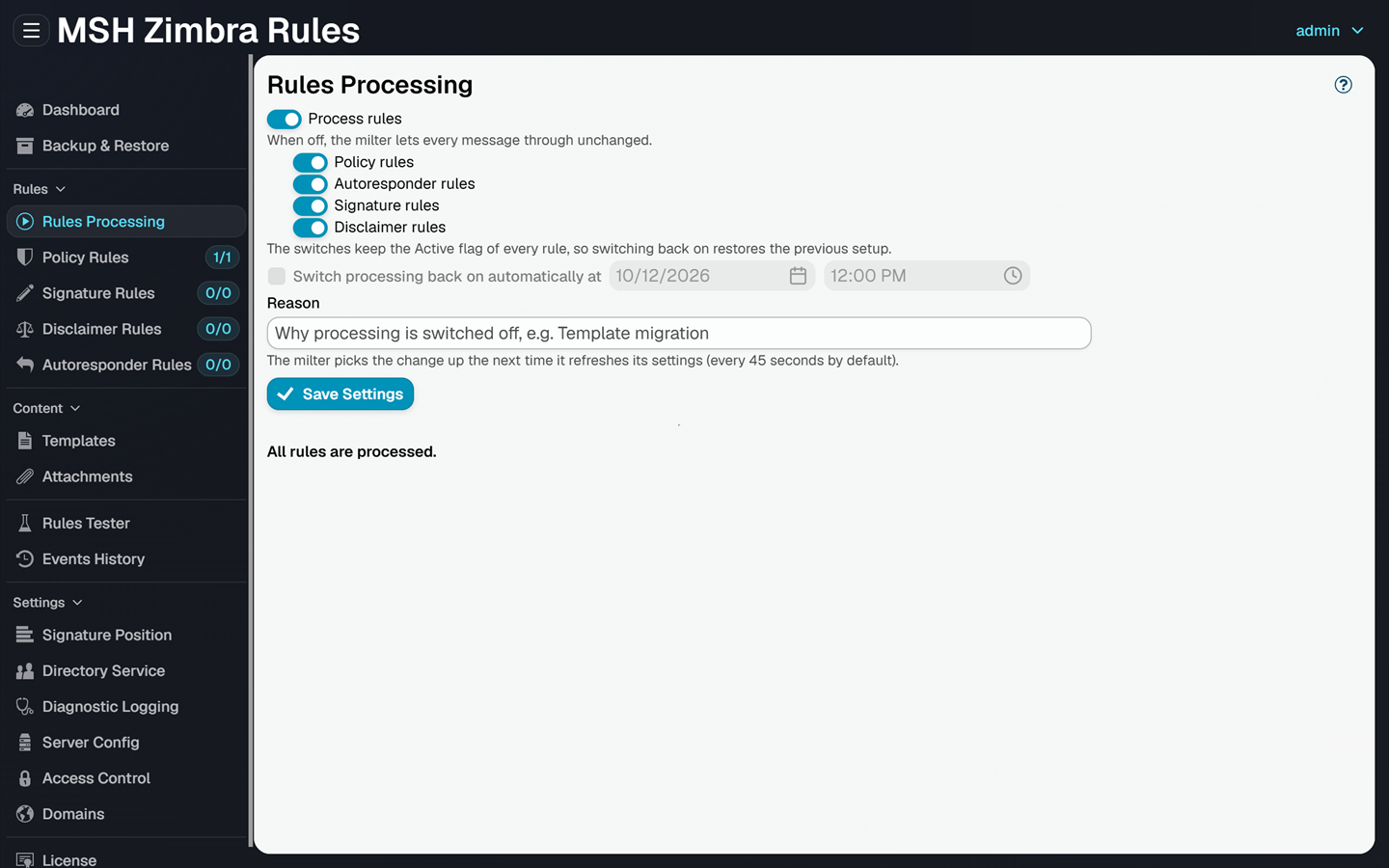
Switches
Process rules: The master switch. When it is off, the milter lets every message through unchanged, and no rule of any type is applied.
Policy rules, Autoresponder rules, Signature rules, Disclaimer rules: One switch per rule type. A rule type that is switched off is skipped, and the other types are processed as usual. These switches can only be changed while Process rules is on.
The switches override the Active flag of each rule but do not change it. Rules keep their own Active setting, so switching processing back on restores the previous setup.
Switch processing back on automatically at: Tick it and pick a date and time to end the suspension automatically. At that time every rule type is processed again, without anyone having to change the switches. This option is available only while something is switched off.
Reason: An optional note on why processing is switched off, for example Template migration. It is shown in the message processing trace of every message that passes through unprocessed.
Click Save Settings to apply the changes. The milter picks them up the next time it refreshes its settings - every 45 seconds by default.
Status
Below the switches the page shows the current state, for example:
- All rules are processed.
- Processing of signature rules, disclaimer rules is suspended. It switches back on at 2026-10-01 18:00.
- Rules processing is suspended - messages pass through unchanged. It stays suspended until it is switched back on.
- The suspension ended at 2026-10-01 18:00. All rules are processed.
It also shows who saved the switches last, and when, for example Last changed by admin at 2026-09-29 20:14.
While processing is suspended
While any rule type is switched off, the administrator panel makes it visible:
- The Rules Processing navigation item shows a pause badge. Its tooltip lists what is suspended.
- The Dashboard shows a notice with a link to this page.
- The list of each rule type that is not processed shows the same notice, for example Processing of disclaimer rules is suspended. For an account without the ADMIN role the notice says that an administrator can switch processing back on.
The message processing trace records why nothing was applied: Skipping processing message: Rules processing is suspended (followed by the reason, if one was given) when the master switch is off, and Rules processing suspended - skipping. for each rule type that is switched off.
The Rules tester gives the result the milter gives, with the switches applied as they are saved. While processing is switched off a test message passes through unchanged and its trace says Rules processing is suspended, with the reason if one was given. While one rule type is switched off, for example autoresponder rules, those rules are skipped (Rules processing suspended - skipping.) and the others run. To check rules of a suspended type, switch the type back on first.
Backup & Restore
Backup & Restore can export and import the switches as the Rules processing switches section. The section is unticked by default. Importing a backup taken while processing was switched off would silently stop the rules of this installation.
Additional resources
- Rules - the rule types these switches control
- Rules tester - see what the milter does with a test message while processing is suspended
- Events history - see what happened to processed messages