Attachment size
This condition lets you filter messages based on the size of their attachments. This is useful for blocking large files, identifying lightweight documents, or managing bandwidth and storage.
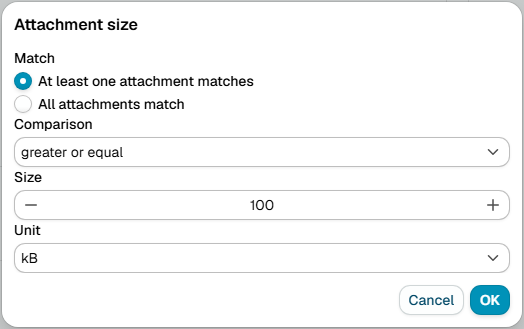
Match attachments
Choose how to evaluate multiple attachments:
- Any - The condition is true if any attachment matches the size criteria
- All - The condition is true only if all attachments match the size criteria
Compare
Set how to compare the attachment size:
- Greater or equal - At least the specified size
- Greater than - Larger than the specified size
- Less or equal - No larger than the specified size
- Less than - Smaller than the specified size
- Equal - Exactly matches the size you specify
- Not equal - Any size except the one you specify
Size
Enter a number and select the unit:
- B - Bytes
- kB - Kilobytes (1 kB = 1,024 bytes)
- MB - Megabytes (1 MB = 1,024 kB)
- GB - Gigabytes (1 GB = 1,024 MB)