DKIM on Zimbra and Rules That Change Messages
A rule that adds a signature, a disclaimer or a banner changes the message. DKIM is there to prove that nobody changed the message on its way, so the two look like a bad match. On Zimbra they are not: the rules of MSH Zimbra Rules run before Zimbra signs outgoing mail, so the signature covers what the rules added. This article shows where each step sits, how to check it on your server, and what to do about the other direction, incoming mail that a rule changes after the sender signed it.
How DKIM signs a message
The sending server adds a DKIM-Signature header with two values that matter here:
bh=, a hash of the body, andb=, a signature over the headers listed inh=and the body hash, made with the domain's private key.
The receiving server takes the public key from DNS
(<selector>._domainkey.<domain>), computes the body hash again and checks the
signature. With the usual relaxed canonicalization, changes of white space at the
ends of lines do not count. Anything else does:
| Change after signing | Result at the recipient |
|---|---|
| A line added to the body, such as a footer or a disclaimer | dkim=fail (body hash did not verify) |
A header listed in h= changed, such as From | dkim=fail (signature verification failed) |
A header not listed in h= changed | Still dkim=pass |
| A header added | Still dkim=pass |
So the only question is whether a change happens before or after the signature.
Where MSH Zimbra Rules sits in the mail path
The milter of MSH Zimbra Rules is registered on the Postfix of the Zimbra MTA that receives the message, before Amavis. Zimbra signs outgoing mail with OpenDKIM, a milter on a second Postfix service, port 10030, to which Amavis hands mail from your own users:


Everything MSH Zimbra Rules adds to an outgoing message is in place when OpenDKIM signs
it. Zimbra's own domain disclaimer, if you use it, is added by Amavis on port 10026, also
before signing. After the signature, Zimbra only adds headers such as Received and
X-Spam-Status, which do not break it.
The defaults of Zimbra's OpenDKIM are rsa-sha256, relaxed/relaxed, and the headers
Date, From, To, Message-ID and MIME-Version in h=. The Subject is not
signed.
Step 1 - Check the order on your server
The domain has a DKIM key. Zimbra signs only for domains with a key. Show it, or
create one with -a and publish the TXT record it prints in DNS:
sudo su - zimbra -c '/opt/zimbra/libexec/zmdkimkeyutil -q -d example.com'
The tool is in /opt/zimbra/libexec, which is not on the path of the zimbra user, so
give the full path.
The milter of MSH Zimbra Rules is registered on Postfix:
sudo su - zimbra -c 'postconf smtpd_milters'
The output lists inet:localhost:9011, see
Milter configuration.
A message shows the order. Send a message from the web client to a colleague on the
same server and open its headers. In the Modern web client, open the message and click
Headers. Read the Received headers from the bottom up:
- Postfix receives the message from the web client. The rules run here.
amavis, port 10026.- Postfix again, with the queue ID that the
DKIM-Filterheader names, and theDKIM-Signatureheader right above it: OpenDKIM signed the message here. amavis, port 10032, then Postfix and the delivery over LMTP.
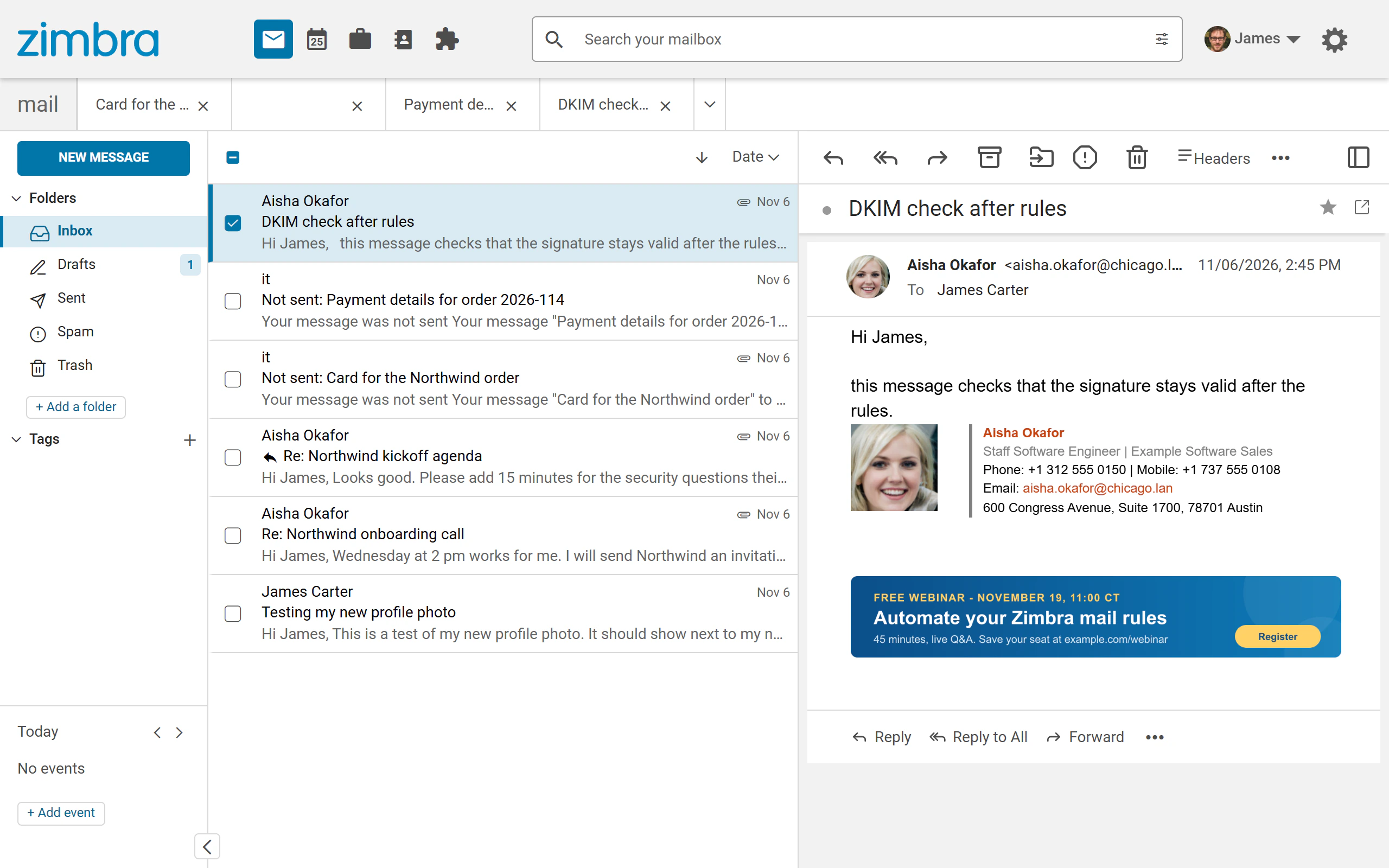
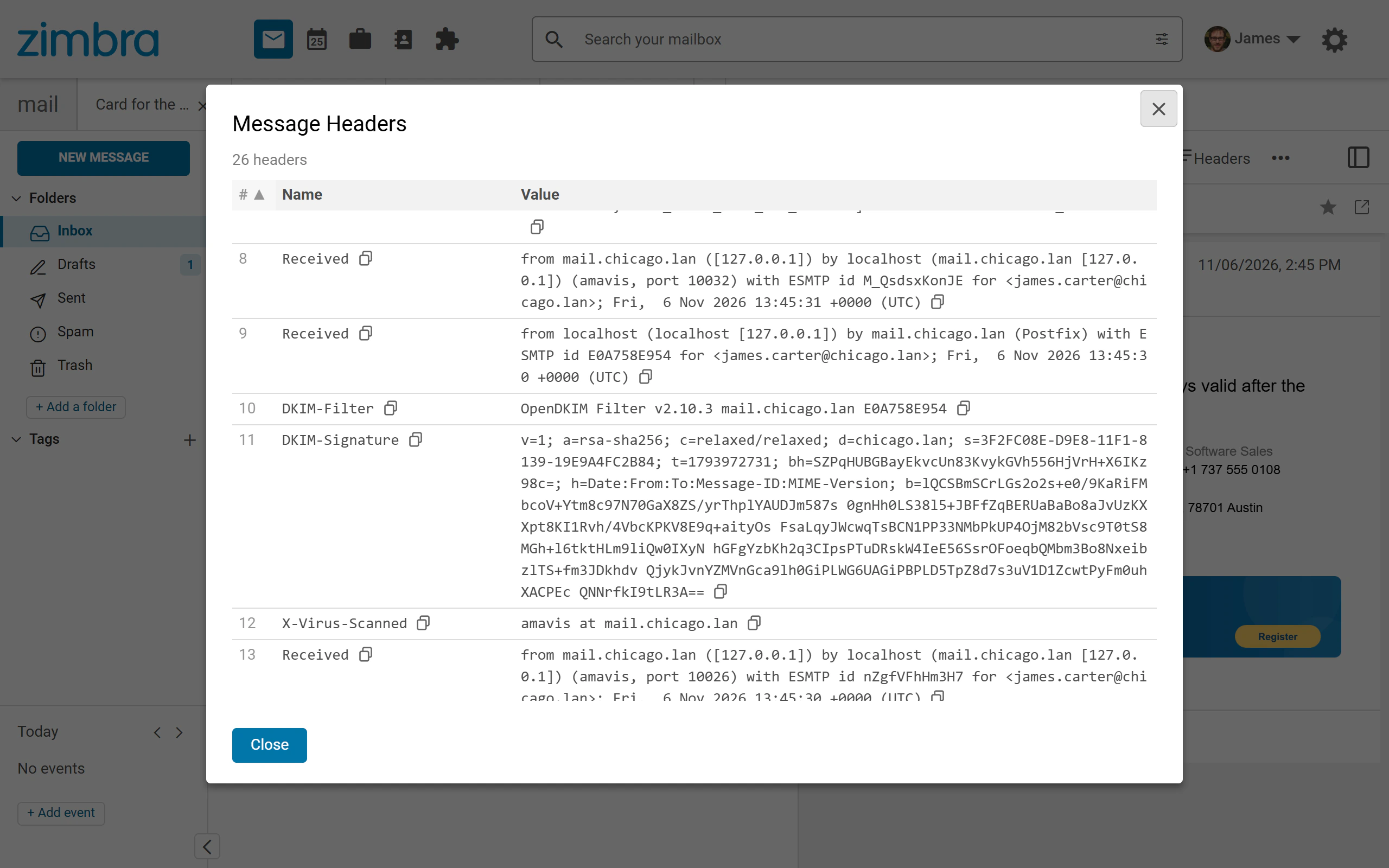
We checked such a message against the public key of its domain. The body hash and the
signature both verified, with the rule's signature and banner in the body. With one
character of the body changed, the check failed with body hash did not verify. With
[EXTERNAL] put before the subject, it still passed, since Zimbra does not sign the
Subject.
Step 2 - Check a received message for dkim=pass
Send a message from your server to a mailbox at a large mail service and open its
original source there. In Gmail, that is Show original in the menu of the message,
which shows DKIM: 'PASS' with domain example.com. Other services write the result to
the Authentication-Results header:
Authentication-Results: mx.example.net;
       dkim=pass header.d=example.com header.s=<selector>
Check a message that a rule changed: one with a signature from a signature rule or a disclaimer from a disclaimer rule. If it passes, the order is right.
Incoming mail: verify DKIM before the rules change it
The other direction is where a rule does break a signature. A rule that puts [EXTERNAL]
before the subject of incoming mail, or adds a note to its body, changes a message that
the sender already signed. Large senders usually sign the Subject too. Amavis and
SpamAssassin check DKIM after the milter, so they see the changed message, take the
sender's valid signature for a broken one and score it as such. For mail from a domain
with a strict DMARC policy that can be enough for Junk.
DKIM verification fixes this. The milter
verifies the signatures of every incoming message before any rule changes it, and writes
the result to an Authentication-Results header under the server name you set. Open
Settings > DKIM Verification:
- Tick Verify DKIM signatures of incoming messages.
- Enter the Server name in the result header, for example
mail.example.com. - Click Save Settings.
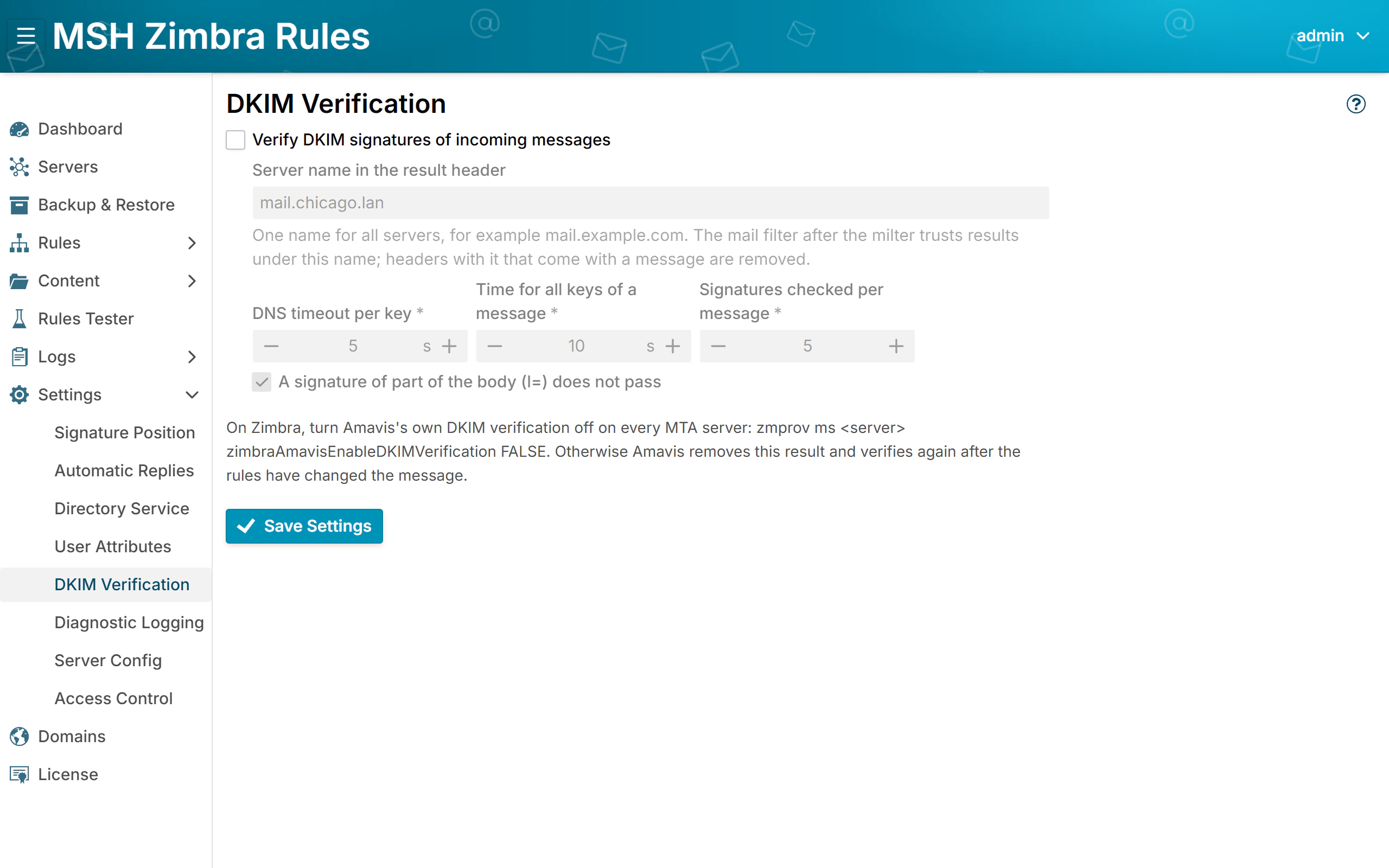
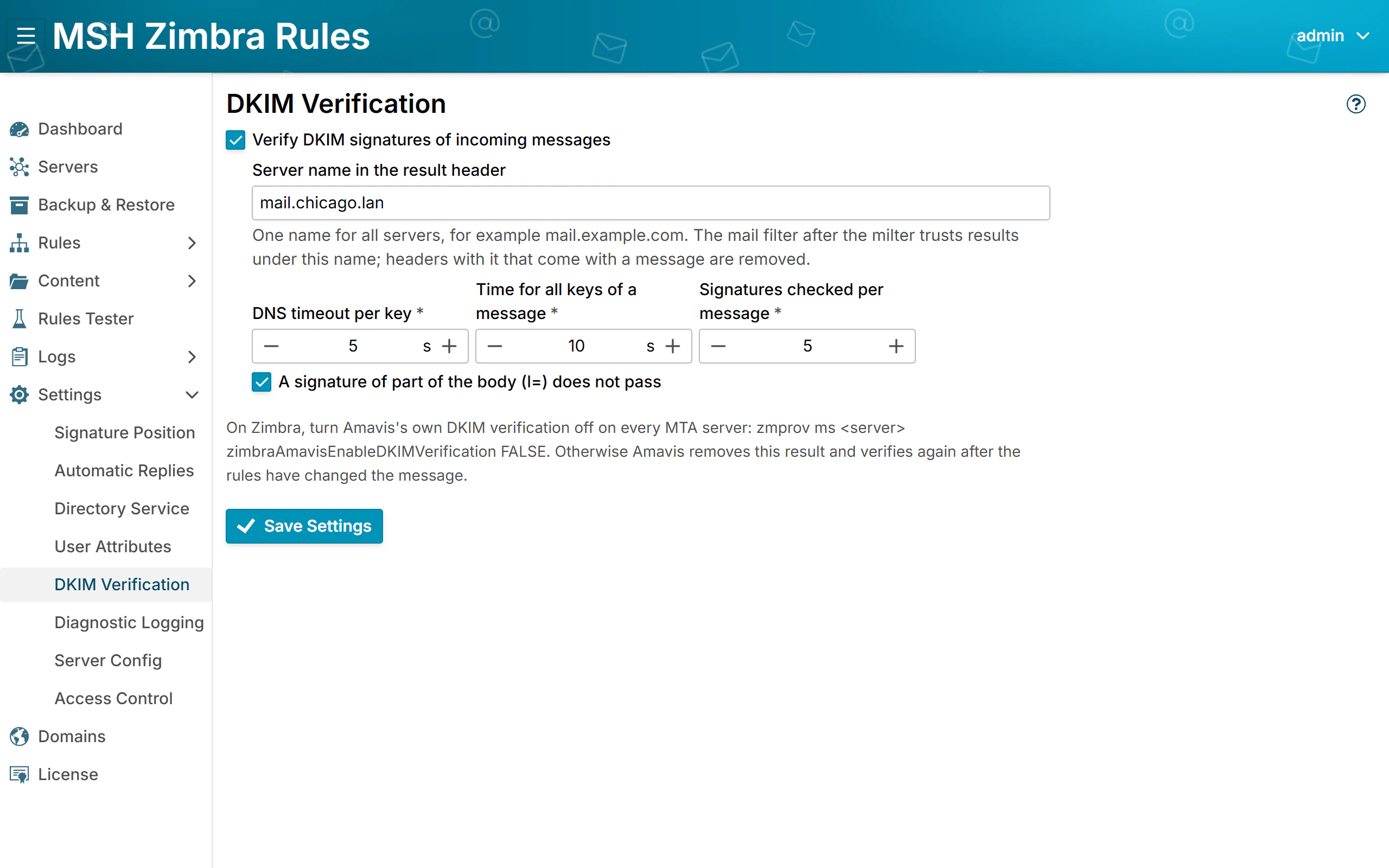
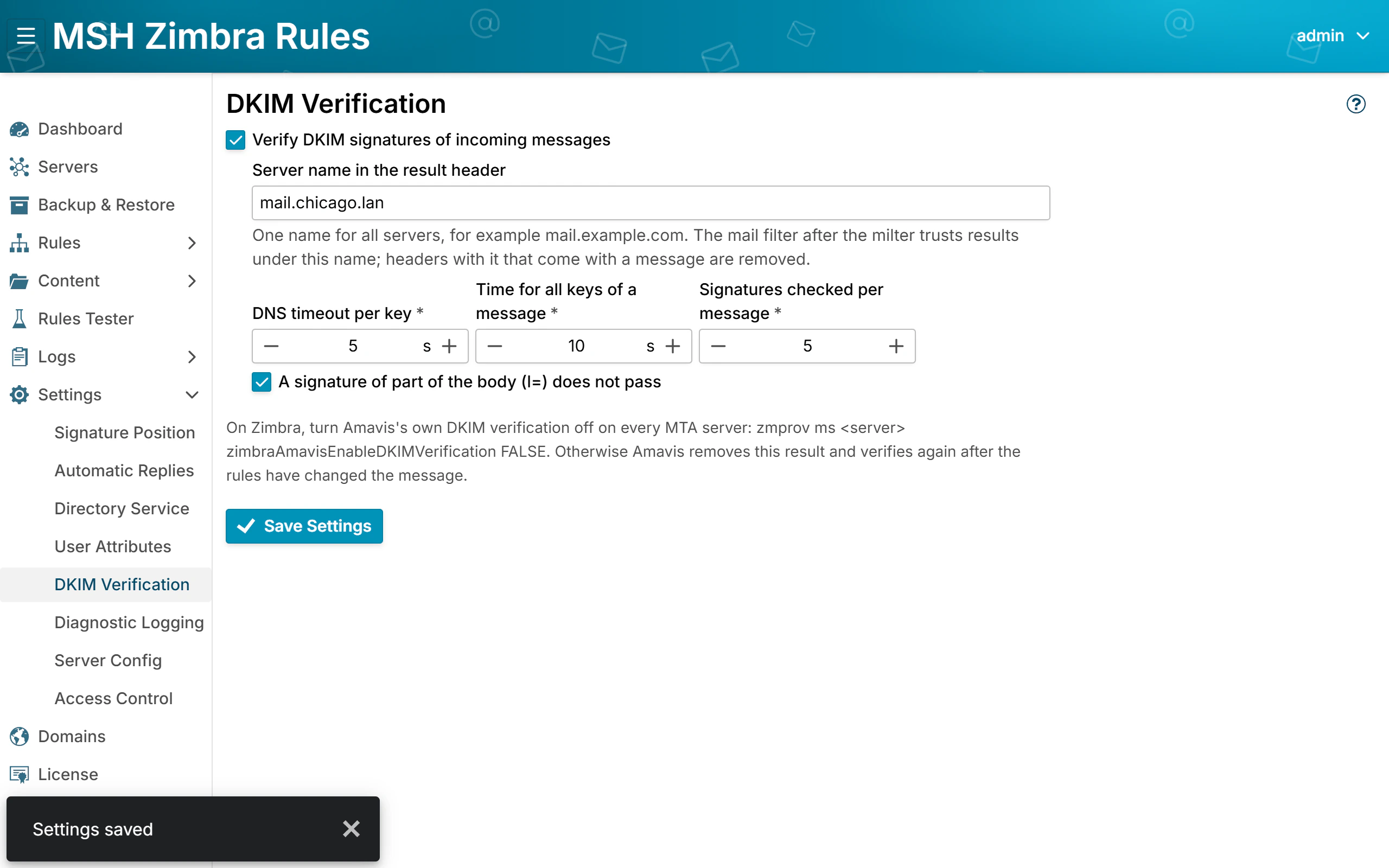
Then make Amavis and SpamAssassin use that result instead of their own check: turn off the DKIM verification of Amavis and add the SpamAssassin rules file of DKIM configuration, or on every MTA server of a multi-server installation. If no rule of yours changes the subject or the body of incoming mail, you do not need the DKIM configuration. A message banner or a sender tag travels in a header and leaves the signature intact.
Test it in the Rules tester
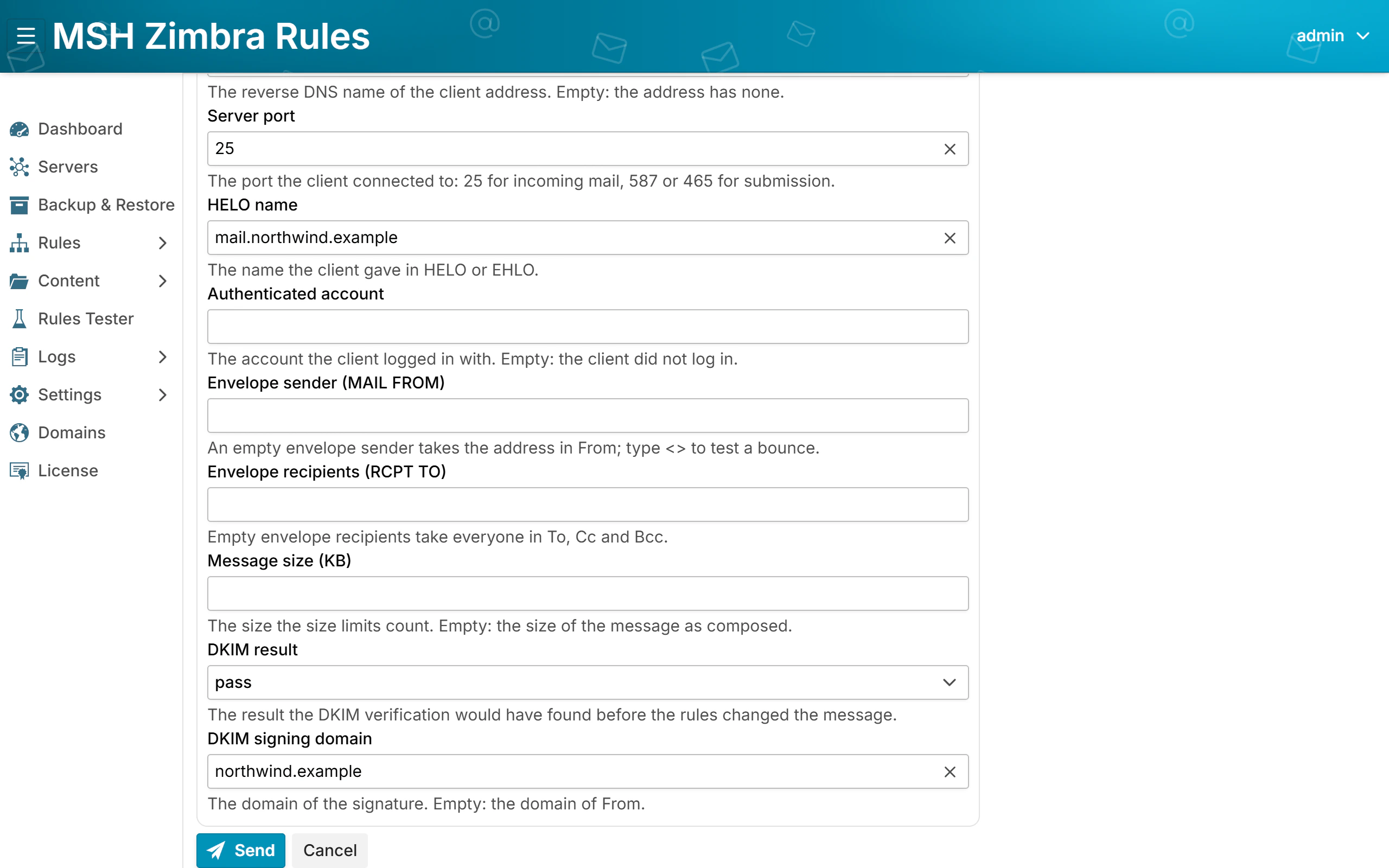
The Rules tester can set the DKIM result that the
verification would have found. With a policy rule that puts [EXTERNAL] before the
subject of incoming mail
(Modify subject with the condition
Message > Direction, Incoming), open Rules Tester > New message >
Custom... and:
- Enter a From address of another domain, such as
partner@northwind.example, and one of your users in To. - On the SMTP tab, enter a Client address, Server port
25, DKIM result pass and DKIM signing domainnorthwind.example. - Click Send and open the message.
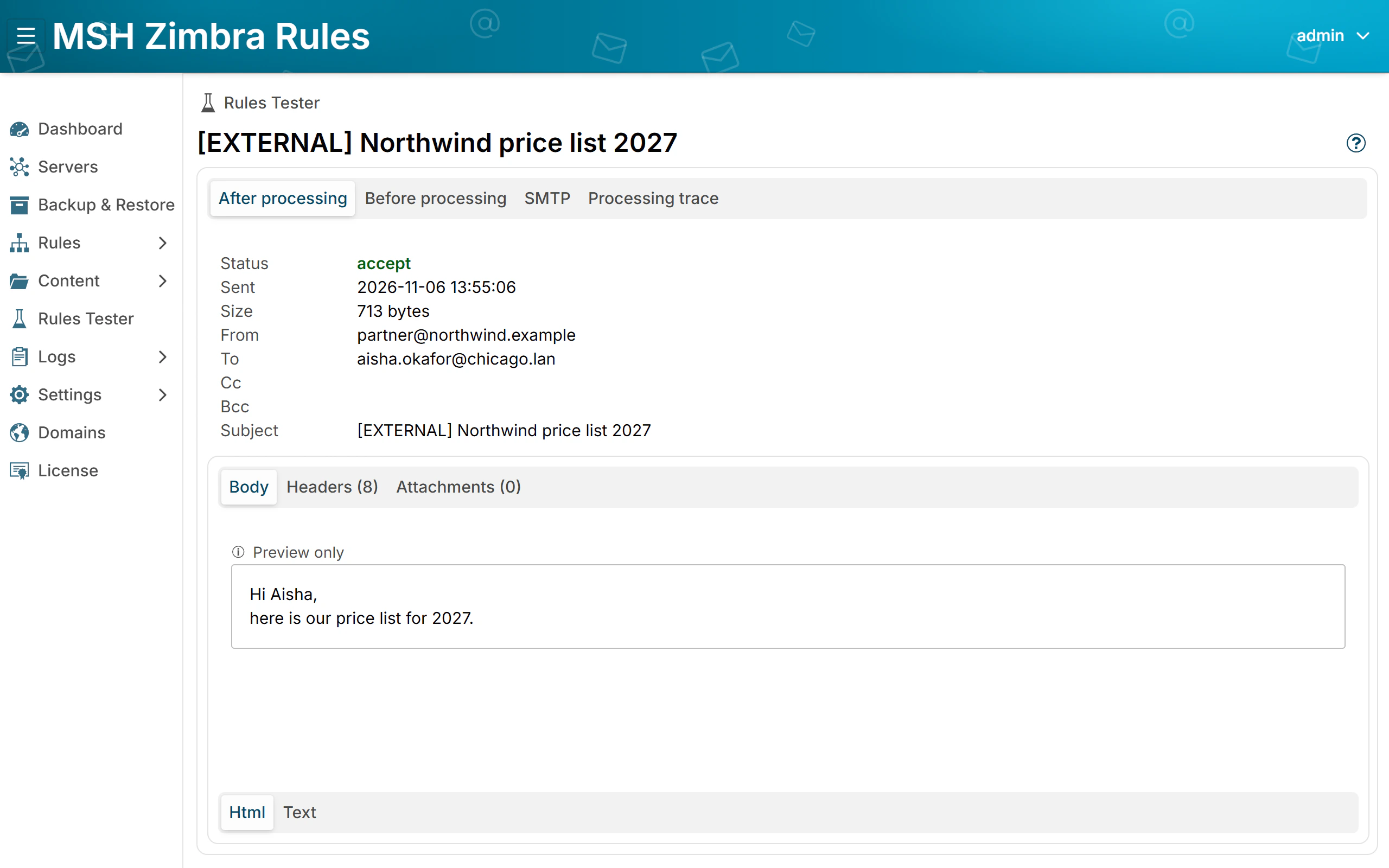
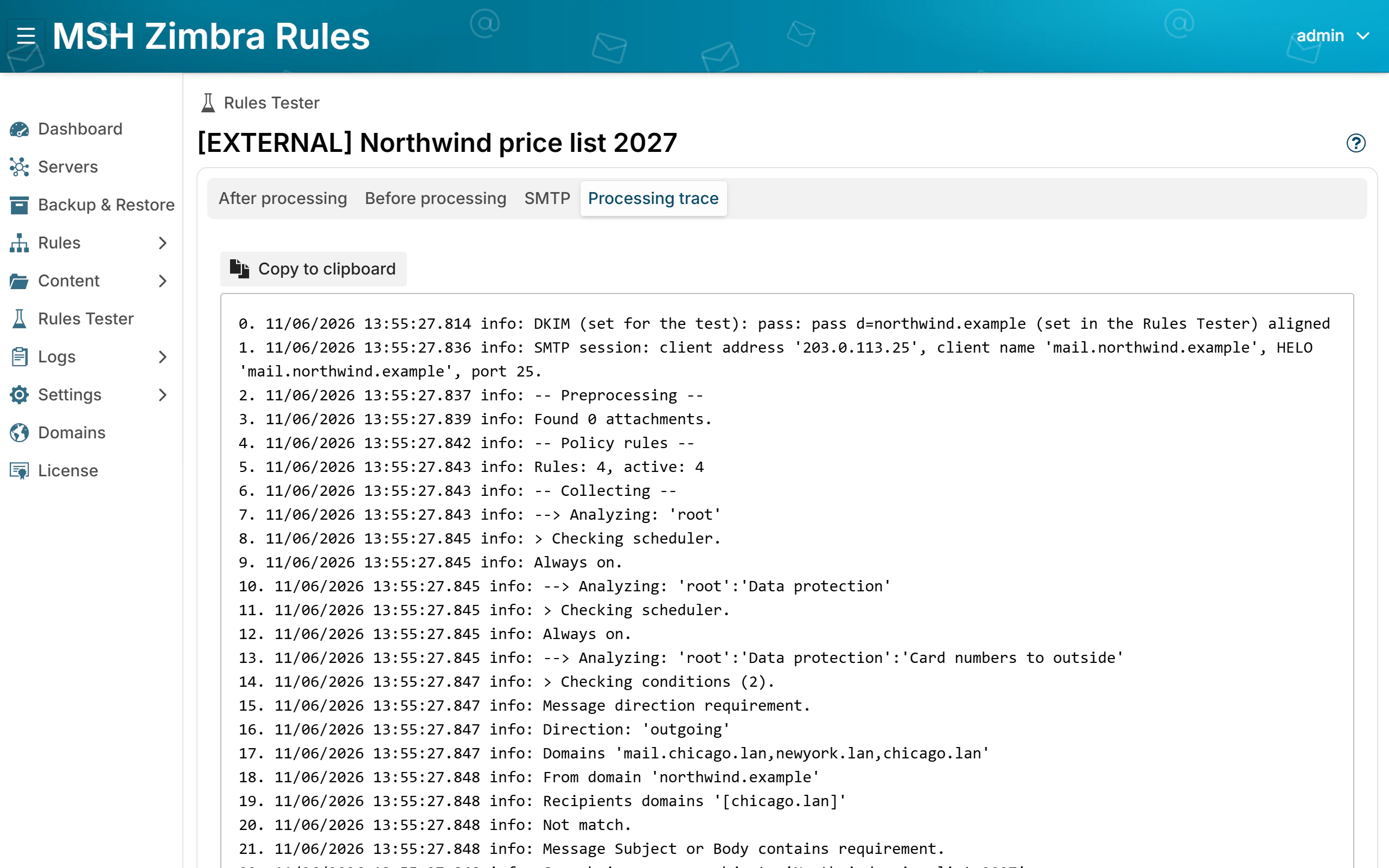
The tester shows the result in the trace only. In real mail it is the
Authentication-Results header under your server name, which the
DKIM result condition and, with
DKIM configuration, SpamAssassin read.
Troubleshooting dkim=fail (body hash did not verify)
The body changed after the signature. Find out where:
- Your outgoing mail fails at every recipient. Something after Zimbra changes the message: an outbound gateway or relay host that adds a footer, scans and rewrites links, or converts the encoding. Compare the message in the Sent folder with the original at the recipient. Add the footer with a disclaimer rule instead, so it is signed with the message, or let the last server on the way sign.
- It fails only at some recipients. Their mailing list or forwarder added a footer or a subject prefix. That is normal for lists and not a problem of your server.
- It fails for mail from outside, in your own Junk folder. A rule of yours changed the body or the subject of incoming mail and Amavis checked it afterwards. Turn on DKIM verification and DKIM configuration.
Other results mean other things:
| Result | Meaning |
|---|---|
signature verification failed | The body is fine, a signed header changed, or the TXT record in DNS does not match the private key. |
no key for signature | The TXT record of the selector is missing in DNS. Check the domain's key in Step 1. |
temperror | The DNS lookup of the key failed at the recipient. It usually goes away on the next try. |
Good to know
- Zimbra changes the encoding before signing. Amavis on port 10026 makes Postfix convert 8-bit messages to 7-bit before OpenDKIM signs them, so no relay has to convert them later and break the body hash.
- Changing the subject does not break Zimbra's own signatures, because Zimbra does not sign it. Other senders do, so a subject rule on incoming mail still needs DKIM verification.
- A passing signature is no proof of a good message. Spam signed by the spammer's own domain passes too. See the warning on the DKIM result condition.
Related reading
- DKIM verification - the settings of the verification in the milter
- DKIM configuration - make Amavis and SpamAssassin take the result of the milter
- Handle Signed and Encrypted Mail in Zimbra - S/MIME and PGP signatures, which rules leave alone
- Add an External Email Warning Banner in Zimbra - a warning for mail from outside that leaves the signature intact
Want to try it on your own server? Start a free trial.