DKIM result
Matches by the result of the DKIM verification the milter did before any rule changed the message. It is the last entry of the Message group of the Add menu.
The condition needs DKIM verification to be on. While it is off, the condition matches nothing.
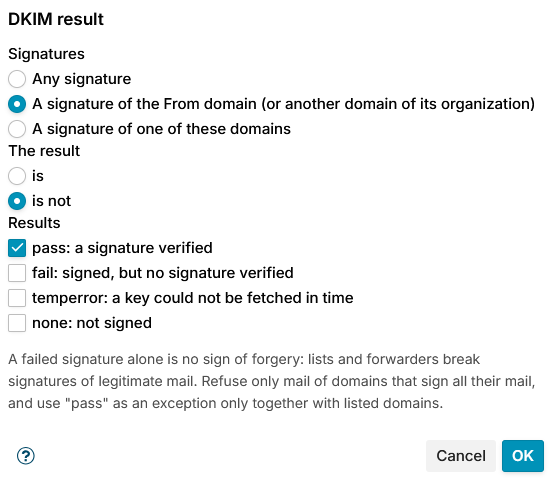
Signatures
Choose which signatures count:
- Any signature - any signature of the message.
- A signature of the From domain (or another domain of its organization) (default) - a signature whose domain belongs to the organization of the From address, for example
news.example.comforFrom: shop@example.com. - A signature of one of these domains - enter the domains in Domains, one per line. Their subdomains count too.
The result
Choose is or is not (default), and tick one or more Results:
| Result | Meaning |
|---|---|
| pass: a signature verified (default) | One of the chosen signatures verified |
| fail: signed, but no signature verified | The message has such signatures, and none of them verified |
| temperror: a key could not be fetched in time | A DNS problem: the key could not be fetched in time. Never taken for a failure. |
| none: not signed | The message has no such signature |
A new condition is set to is not pass: it matches mail without a passing signature.
The conditions table shows the condition as, for example, DKIM result of the From domain is not pass.
A failed signature alone is no sign of forgery: mailing lists and forwarders break the signatures of legitimate mail. Refuse only mail of domains that sign all their mail, and use pass as an exception only together with listed domains.
Examples
- Tag mail that claims to come from your bank but is not signed by it: condition A signature of one of these domains
bank.example, is not pass, together with a Message sender condition on*@bank.example. - Show a banner on unverified mail from a partner who signs everything: the same condition with the partner's domain, and the action Add message banner.