Domains
The Domains page lists the mail domains synced from the Directory service. For each domain it shows the name, the LDAP base DN, the number of users and groups, and when it was last synced.
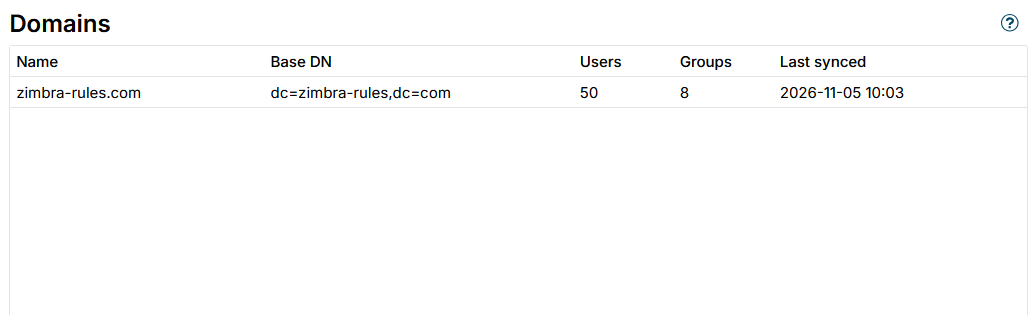
Run a sync from the Directory Service page to discover or refresh domains.
The application uses the domain list to determine the direction of each message - whether it is incoming, outgoing, or internal. This lets you create rules that behave differently for inbound, outbound, and internal mail.
Users and groups
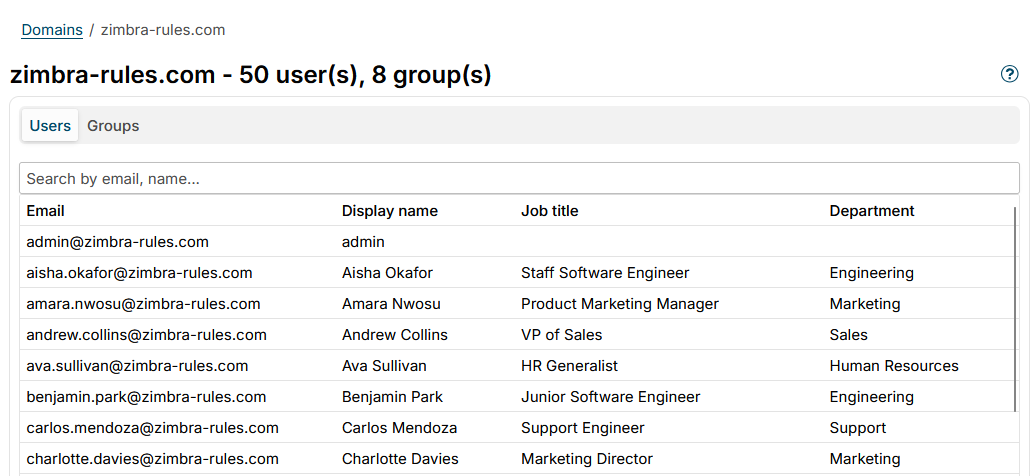
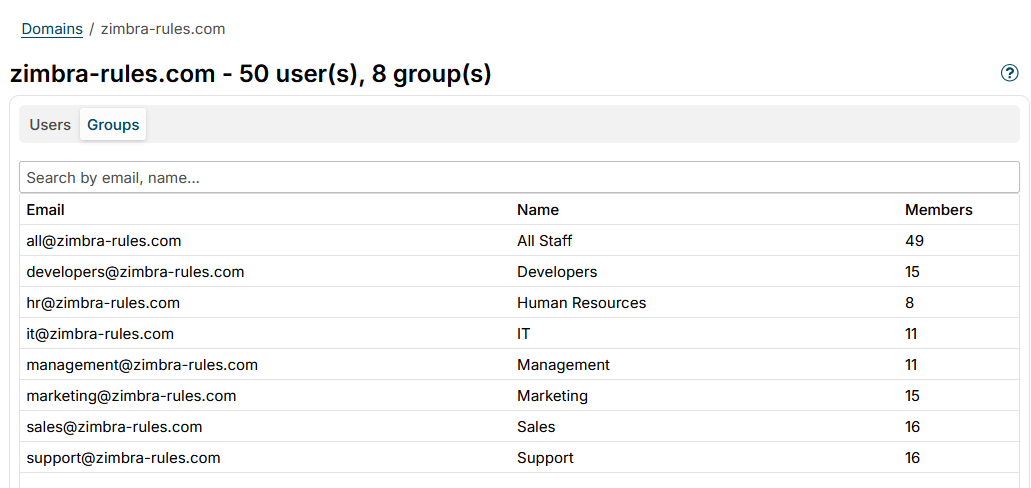
Click a domain to open its details. Two tabs list the synced directory entries:
- Users - email, display name, job title and department, with a search field. Click a user to see all attributes imported for the account, including its alias addresses in the
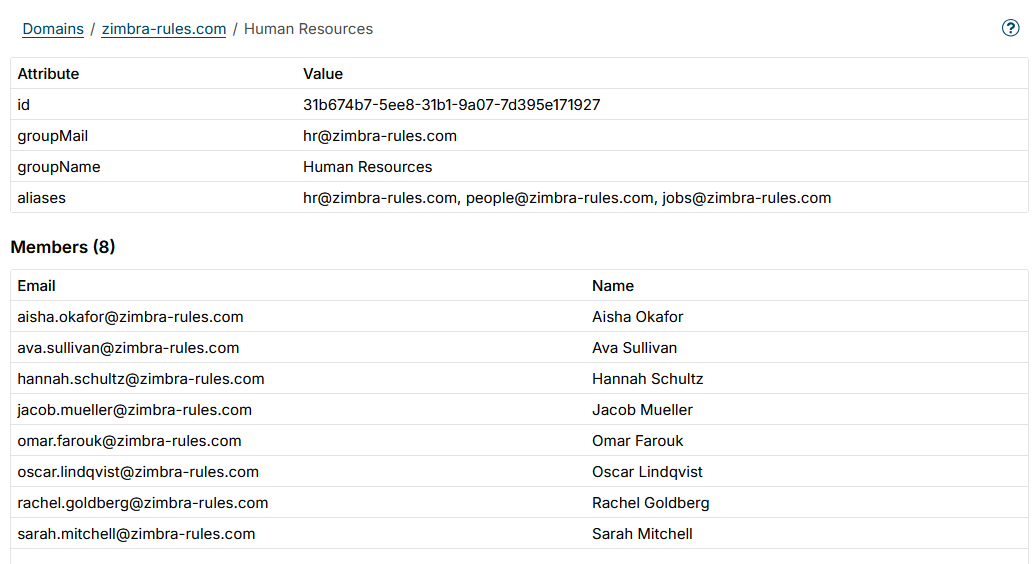
aliasesrow. A distribution list has analiasesrow too. These attributes fill the placeholders in signature templates, see Variables. - Groups - email, name and member count, with a search field. Click a group to see its members.
The details of a group show its attributes - id, groupMail, groupName and its aliases - and the list of its members:
User details
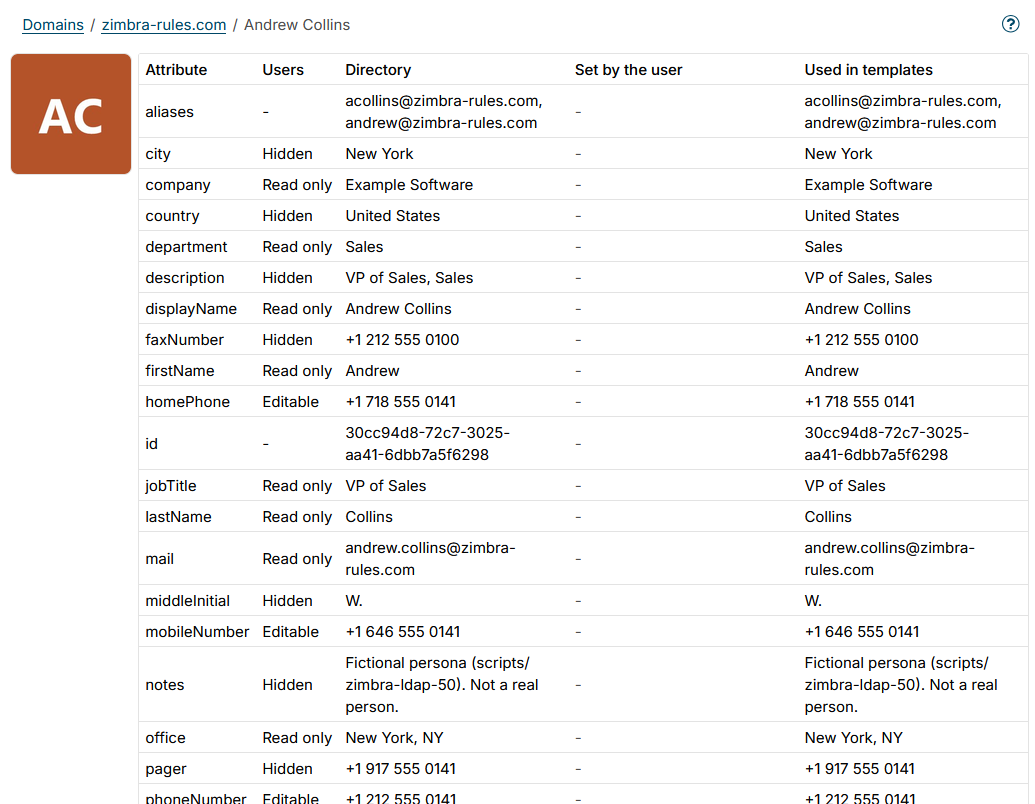
The details of a user list every attribute in these columns:
| Column | Shows |
|---|---|
| Attribute | The attribute name, the same as its variable |
| Users | The access users have to the attribute in the Change User Info zimlet - Editable, Read only or Hidden, set on the User attributes page. - for attributes never offered to users, such as id and aliases |
| Directory | The value synced from the directory |
| Set by the user | The value the user set in Change User Info, or - |
| Used in templates | The value signatures, disclaimers and autoresponders use: the user's value while the attribute is editable, else the directory value |
A value the user set for an attribute that is no longer editable is struck through and marked not used; templates use the directory value then.
Reset next to a value the user set deletes it, and templates use the directory value again. It is available to administrators only.
Users and groups can be selected in rule conditions, see Message sender and Message recipient.
Additional resources
- Directory service - configure and run the sync
- Message direction condition - read more about the Message direction condition
- User attributes - which attributes users change for themselves
- How to use Variables - lists all user attribute placeholders