File Suspected Spam by Its Score in Zimbra
Zimbra's spam filter does not make a single yes-or-no decision. Amavis and SpamAssassin score every message and write the result into the headers, and Zimbra then acts on one threshold. Everything between "obviously fine" and "obviously spam" lands in the Inbox along with the good mail. A Sieve filter can read that score and give the middle ground somewhere else to go.
Part of the series on Everyday Uses for Sieve Mail Filters in Zimbra.
The headers Zimbra gives you
Amavis adds these to every message it scans:
| Header | Example | What it is |
|---|---|---|
X-Spam-Flag | YES | Present and YES only above the kill threshold |
X-Spam-Score | 7.893 | The score, as a decimal, and negative for good mail |
X-Spam-Level | ******* | One asterisk per whole point of score |
X-Spam-Status | No, score=-2.23 required=6.6 | The score with the threshold and the rules that hit |
X-Spam-Level is the one to filter on, and the reason is in the next section.
The filter
require ["fileinto"];

# Roughly score 8 and above: junk, no review needed.
if header :contains "X-Spam-Level" "********" {
    fileinto "Junk";
    stop;
}

# Roughly score 4 and above: suspicious, worth a glance.
if header :contains "X-Spam-Level" "****" {
    fileinto "Suspected spam";
    stop;
}
Order matters. Eight asterisks contain four asterisks, so the stricter rule has to come
first, and each branch needs stop so a message cannot be filed twice.
Create both folders before you install the filter. fileinto does not create a folder that
is missing, and a message that cannot be filed lands in the Inbox instead.
Why not compare the number
The obvious filter reads X-Spam-Score and compares it numerically:
# Do not use this
require ["relational", "comparator-i;ascii-numeric", "fileinto"];

if header :value "ge" :comparator "i;ascii-numeric" "X-Spam-Score" "5" {
    fileinto "Junk";
}
It looks right and it is quietly wrong, because of how the i;ascii-numeric comparator is
defined in RFC 4790:
All input is valid; strings that do not start with a digit represent positive infinity.
A clean message scores below zero, so its header reads X-Spam-Score: -2.23. That starts
with a minus sign, not a digit, so the comparator treats it as positive infinity - and
infinity >= 5 is true. The rule above files your cleanest mail into Junk and leaves the
spam alone.
The second problem is smaller but real: the comparator truncates at the first non-digit, so
7.893 is compared as 7. Decimals are simply discarded.
If you must compare the number, guard against the negative case first:
require ["relational", "comparator-i;ascii-numeric", "fileinto"];

if allof (not header :matches "X-Spam-Score" "-*",
          header :value "ge" :comparator "i;ascii-numeric" "X-Spam-Score" "5") {
    fileinto "Suspected spam";
    stop;
}
The asterisk-counting version is shorter, needs no extensions and has no edge case, which is why it is the one above.
Choosing thresholds
Amavis tags at $sa_tag2_level_deflt, which is 6.6 by default on Zimbra, and that is the
point where X-Spam-Flag: YES appears. Anything you filter below that number is mail
Zimbra has decided is not spam, so set the review threshold low enough to be useful and
high enough that the folder does not become a second Inbox. Four is a reasonable place to
start; watch the folder for a week and move it.
To see where your own mail actually falls, check the scores on recent messages:
grep -o 'X-Spam-Score: [-0-9.]*' /opt/zimbra/log/mailbox.log | sort | uniq -c | sort -rn | head
Applying it
This filter uses nothing but fileinto, so it works as a user filter and as an admin
script, and it needs no configuration.
For one user, from the command line:
sudo su - zimbra -c 'zmprov ma user@example.com zimbraMailSieveScript "$(cat /tmp/spam.sieve)"'
For a whole domain, as an admin script that runs before everyone's own filters:
sudo su - zimbra -c 'zmprov md example.com zimbraAdminSieveScriptBefore "$(cat /tmp/spam.sieve)"'
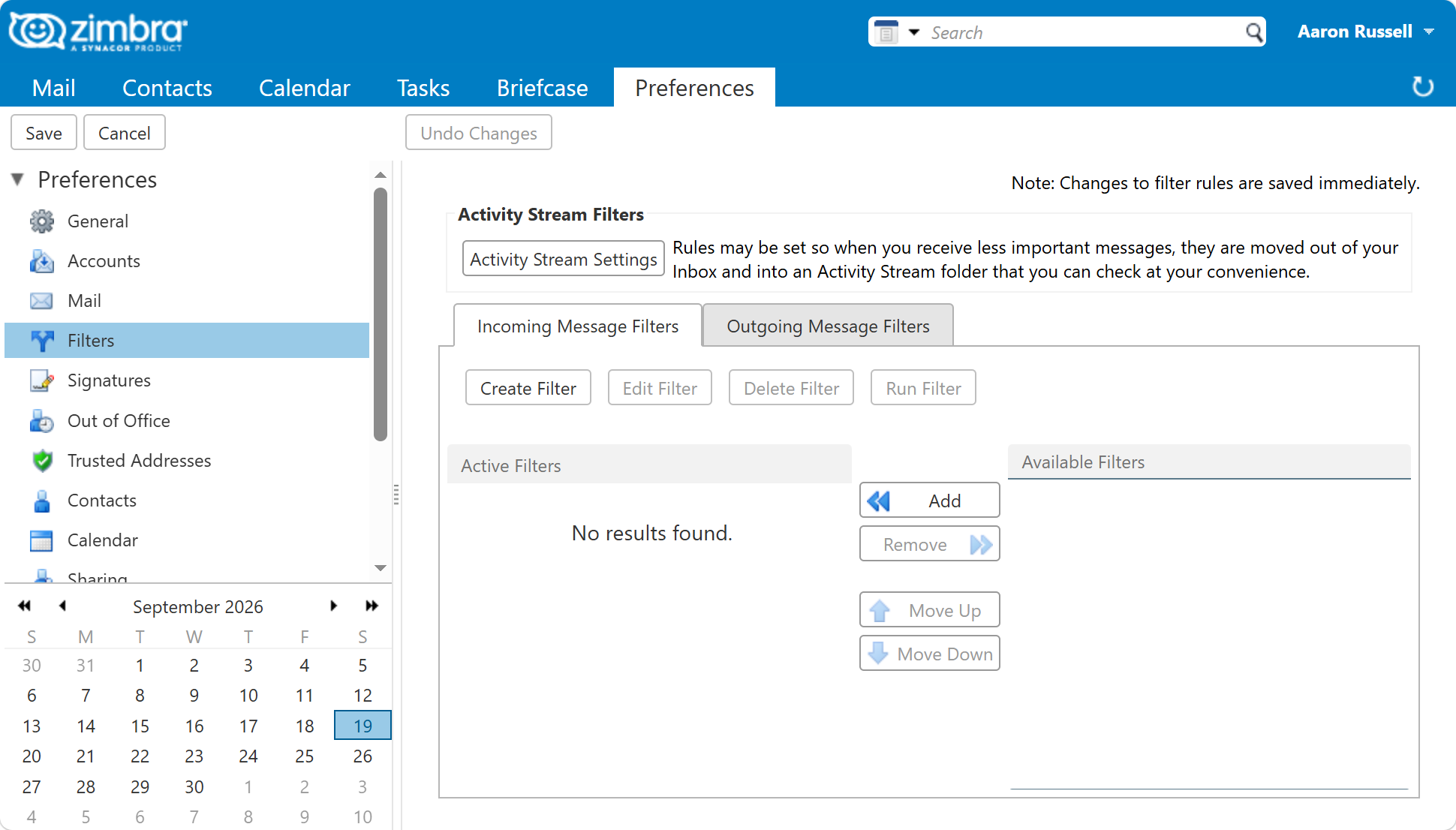
In the web client, a user can build the same thing under Preferences > Filters
without writing Sieve: a condition on the header X-Spam-Level containing four asterisks,
and an action of filing into a folder.
Remember that the admin "before" script runs ahead of the user's own filters, so a message filed into Junk by the domain script never reaches the user's rules at all.
Once it is running, the Suspected spam folder collects the borderline mail and the
Inbox keeps only what scored below your review threshold. Junk carries on receiving
everything above the kill threshold as before.
Checking it works
The filter can only see headers that exist. Mail that never passed through amavis has no
X-Spam-* headers at all, and internal mail between two accounts on the same server is
often in that category, so test with a message from outside.
Open a message in the web client, choose Show Original, and confirm X-Spam-Level is
present and has the number of asterisks you expect. If the header is missing entirely, the
problem is amavis, not Sieve.
Next in this series
Back to Everyday Uses for Sieve Mail Filters in Zimbra, or on to Block a Sender or a Whole Domain.