File or Reject Mail by Attachment in Zimbra with Sieve
Attachments are what people search for months later, and they are what malware arrives in. Zimbra gives Sieve two tests that no RFC defines - one that asks whether a message carries an attachment at all, and one that reads the headers of every MIME part - which between them cover both the filing and the refusing.
Part of the series on Everyday Uses for Sieve Mail Filters in Zimbra.
The simplest useful version
require ["fileinto"];

if attachment {
    fileinto "Attachments";
    stop;
}
attachment is Zimbra's own test, takes no arguments, and is true when the message carries
an attachment of any kind. It is the whole vocabulary: there is no attachment :name or
attachment :type, so anything more specific has to come from mime_header.
Routing by file type
mime_header works like header, except it searches the headers of every MIME part rather
than only the top of the message. That is where the content type and the filename live.
require ["fileinto"];

# Contracts, invoices and anything else that arrives as a PDF.
if mime_header :contains "Content-Type" "application/pdf" {
    fileinto "Documents";
    stop;
}

# Scans and photographs.
if mime_header :contains "Content-Type" ["image/jpeg", "image/png", "image/tiff"] {
    fileinto "Scans";
    stop;
}

# Spreadsheets, both formats.
if mime_header :contains "Content-Type" ["application/vnd.ms-excel",
                                         "application/vnd.openxmlformats-officedocument.spreadsheetml.sheet"] {
    fileinto "Spreadsheets";
    stop;
}
Match on Content-Type rather than on the filename when you can. The type is set by the
sending client from the actual content, while the filename is just text and is the thing an
attacker controls.
Matching the filename
Sometimes the filename is what you want - a supplier who always sends statement-*.pdf,
for example. The name appears in two places depending on the sending client, so test both:
require ["fileinto"];

if anyof (mime_header :matches "Content-Disposition" "*statement-*.pdf*",
          mime_header :matches "Content-Type" "*statement-*.pdf*") {
    fileinto "Statements";
    stop;
}
Content-Disposition carries filename=, and Content-Type carries the older name=.
Most clients set both, but not all of them, and a message that sets only one would slip
past a rule that checked only the other.
Filenames with anything outside ASCII may arrive MIME-encoded, in which case a plain substring will not match. Match on the ASCII part of the name, or on the extension.
Refusing executable files
require ["mime_header", "ereject"];

if anyof (mime_header :matches "Content-Disposition" ["*.exe*", "*.scr*", "*.bat*",
                                                      "*.cmd*", "*.js*", "*.vbs*"],
          mime_header :matches "Content-Type" ["*.exe*", "*.scr*", "*.bat*",
                                               "*.cmd*", "*.js*", "*.vbs*"]) {
    ereject "Executable attachments are not accepted.";
}
Two things to understand before using this.
It is a filename check, not a content check. Renaming payload.exe to payload.pdf
defeats it completely, and an executable inside a zip file is invisible to it. Treat it as
tidying rather than as security - the antivirus in front of Zimbra is what actually
inspects content.
ereject refuses the delivery, so Zimbra answers Postfix with 550 5.7.1 Message rejected and the sender gets a bounce. That is the right behaviour for a policy a sender
should know about. If you would rather they did not know, use fileinto "Quarantine"
instead, or discard to drop it silently.
Sieve is a late place to do this. Because the message has already been accepted, scanned and stored by the time the script runs, blocking attachments at the MTA is both cheaper and harder to get around. MSH Zimbra Rules works at that earlier point and can refuse a message during the SMTP session, matching on the real content type rather than on the filename.
Filing by size instead
Often the thing that matters is not what the attachment is but how big it is:
require ["fileinto"];

if size :over 10M {
    fileinto "Large messages";
    stop;
}
size takes :over or :under and a number with a K, M or G suffix. It measures
the whole message, including the base64 encoding of the attachments, so a 7 MB file arrives
as roughly 9.5 MB of message. Set thresholds a little above the file size you have in mind.
Applying it
None of this needs editheader, so it all works as a personal filter.
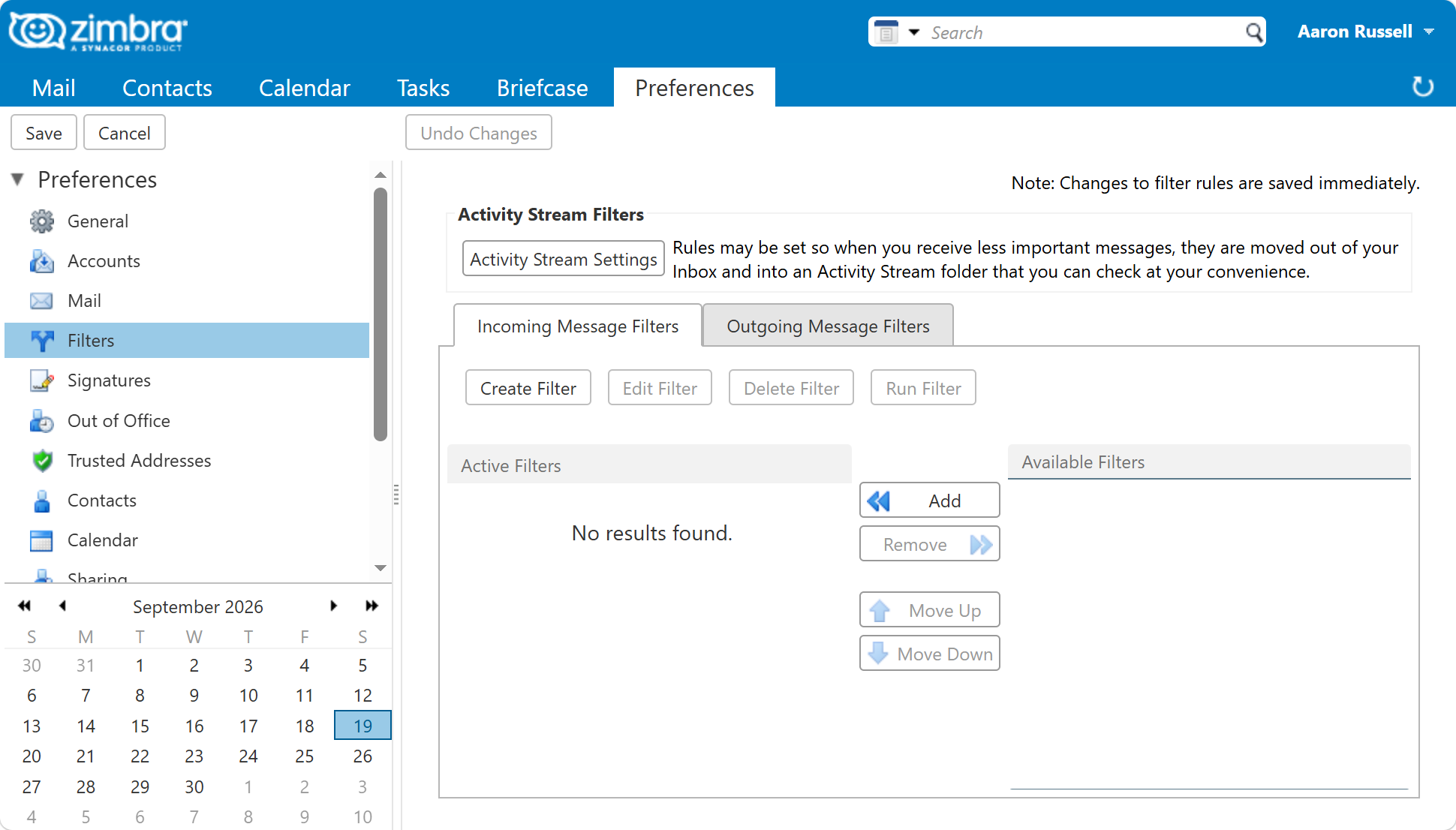
In the web client, under Preferences > Filters. The rule builder has an
attachment condition for the simple case, though mime_header rules have to be written
as Sieve.
From the command line, for one user:
sudo su - zimbra -c 'zmprov ma user@example.com zimbraMailSieveScript "$(cat /tmp/attachments.sieve)"'
For a whole domain, which is where an executable-file policy belongs:
sudo su - zimbra -c 'zmprov md example.com zimbraAdminSieveScriptBefore "$(cat /tmp/attachments.sieve)"'
Test a routing rule by sending yourself one message per file type. PDFs should land in
Documents, scans and photographs in Scans, and anything with no attachment should stay
in the Inbox. If a message goes to the Inbox instead of the folder you expected, open
Show Original and read the real Content-Type of the part - it is often not the one
you assumed.
Next in this series
Back to Everyday Uses for Sieve Mail Filters in Zimbra, or on to Answer Automatically While You Are Away.