Give Every Service Its Own Plus Address in Zimbra
Sign up to a shop as anna+shop@example.com and the mail still reaches anna@example.com,
but now it arrives carrying a label you chose. Filing on that label is easy. The real
payoff comes later, when spam starts arriving addressed to anna+shop@example.com and you
know exactly which service leaked it.
Part of the series on Everyday Uses for Sieve Mail Filters in Zimbra.
First, turn it on
Plus addressing is off by default on Zimbra. The attribute that controls it,
zimbraMtaRecipientDelimiter, has no value until you set one, and until then
anna+shop@example.com is simply an unknown address and the mail bounces.
# enable it globally
sudo su - zimbra -c 'zmprov mcf zimbraMtaRecipientDelimiter +'

# Postfix needs a restart to pick it up
sudo su - zimbra -c 'zmmtactl restart'

# confirm
sudo su - zimbra -c 'postconf recipient_delimiter'
To turn it off again:
sudo su - zimbra -c 'zmprov mcf -- -zimbraMtaRecipientDelimiter +'
sudo su - zimbra -c 'zmmtactl restart'
The delimiter does not have to be +. Some people prefer - because a few badly written
sign-up forms reject a plus sign in an email address, though a dash brings its own
ambiguity with addresses that legitimately contain one.
Send yourself a test message at you+test@example.com before writing any filter. If it
bounces, the delimiter is not active and no Sieve script will help.
The filter
require ["envelope", "fileinto", "variables"];

if envelope :matches "to" "*+*@example.com" {
    fileinto "Tagged/${2}";
    stop;
}
${2} is the second wildcard, which captures whatever sits between the + and the @.
Mail to anna+shop@example.com is filed into Tagged/shop, mail to
anna+newsletter@example.com into Tagged/newsletter, and so on, without a rule per tag.
As always with fileinto, the folder has to exist. A tag with no folder falls through to
the Inbox, so create the subfolders for the tags you actually hand out.
Why the envelope and not the To header
envelope :matches "to" reads the SMTP envelope recipient, which is the address the
message was genuinely delivered to.
The To: header is not a reliable substitute. It holds whatever the sender typed, and for
anything sent to several people, or through a list, or with you in Bcc, your plus address
may not appear in it at all. Zimbra does not rewrite the header or add one of its own when
it delivers to a plus address, so the envelope is the only place the tag is guaranteed to
be.
Naming folders explicitly
The wildcard version creates a tidy scheme but accepts anything, including tags invented by somebody else. If you would rather only honour the tags you have actually used:
require ["envelope", "fileinto"];

if envelope :is "to" "anna+shop@example.com" {
    fileinto "Tagged/Shopping";
    stop;
}

if envelope :is "to" "anna+forums@example.com" {
    fileinto "Tagged/Forums";
    stop;
}

# Any other tag is one I never handed out.
if envelope :matches "to" "*+*@example.com" {
    fileinto "Tagged/Unknown";
    stop;
}
That last rule is the interesting one. Mail to a tag you never created is either a typo or somebody guessing, and it is worth seeing.
Spotting a leak
The moment a tagged address starts receiving mail from anyone other than the service you gave it to, that service has either sold your address or been breached. Sieve can make that visible rather than leaving it for you to notice:
require ["envelope", "fileinto", "tag"];

# The shop address should only ever hear from the shop.
if allof (envelope :is "to" "anna+shop@example.com",
          not envelope :domain :is "from" "shop.example") {
    tag "Leaked address";
    fileinto "Tagged/Leaks";
    stop;
}
Applying it
The delimiter is a server-wide setting and needs the commands above. The filter itself needs no special configuration.
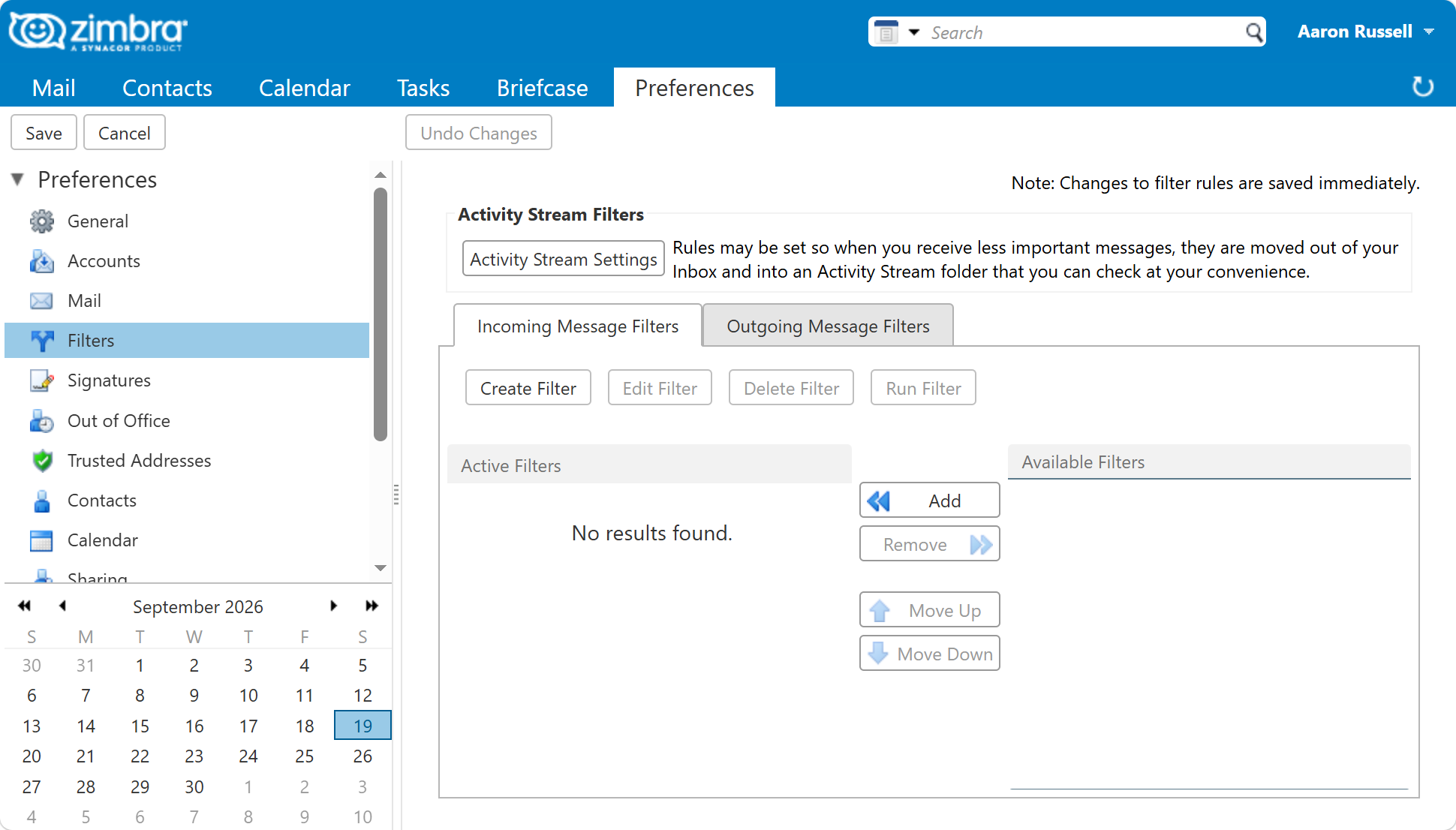
In the web client, under Preferences > Filters, using the to condition with
matches wildcard and a pattern such as *+shop@example.com. The rule builder cannot
express the variable version, so a wildcard scheme has to be written as Sieve.
From the command line, for one user:
sudo su - zimbra -c 'zmprov ma user@example.com zimbraMailSieveScript "$(cat /tmp/plus.sieve)"'
With the wildcard version in place, each address you hand out files into its own
subfolder - Tagged/shop, Tagged/forums - as long as the folder exists. Mail to a tag
with no folder arrives in the Inbox instead.
Limits worth knowing
- Some sign-up forms reject a plus sign. It is valid in an email address and has been since the first mail standards, but form validation is often wrong about that. Changing the delimiter is one answer; an alias on the account is another.
- A tagged address is easy to strip. Anyone who wants to reach you past a blocked tag
can simply delete the
+shoppart. Plus addressing tells you where a leak came from; it does not stop mail. - It is a global setting.
zmprov mcfapplies to the whole server, not one domain, so enabling it is a decision for the whole installation.
Next in this series
Back to Everyday Uses for Sieve Mail Filters in Zimbra, or on to File or Reject Mail by Attachment.