Copy a User's Mail to an Archive Mailbox in Zimbra
Sometimes every message of one person has to be kept, whatever that person deletes: a legal hold, a departing employee whose customers keep writing, or a compliance rule that asks for a copy of all mail of a team. A policy rule of MSH Zimbra Rules does it with one action: it adds an archive mailbox as a Bcc recipient of every message from and to that person. The sender and the recipients see nothing, and the archive gets exactly the message they got.
How the copy travels


A Bcc recipient exists only in the envelope of the message, the list of addresses the mail servers deliver to. It is not written into any header. So:
- the To and Cc headers stay as the sender wrote them,
- no
Bccheader is added, to any copy, - the sender's Sent folder keeps the message as it was written, and
- the archive copy is the same message the recipients got, with the same signatures, disclaimers and banners, because Postfix delivers one message to all recipients.
Step 1 - The archive mailbox
Create a Zimbra account for the archive, on a Zimbra mailbox server as the
zimbra user, and hide it from the address book:
sudo su - zimbra -c "zmprov ca archive@example.com 'a long password' displayName 'Mail Archive' zimbraHideInGal TRUE"
An alias of an existing account works as well, if you would rather not add a mailbox: the copies then land in that account.
Give the archive room: an archive fills up, and a full mailbox refuses the copies. The
mail server then reports each refused copy to the sender, which gives the archive away.
With zimbraMailQuota 0 the account has no quota:
sudo su - zimbra -c "zmprov ma archive@example.com zimbraMailQuota 0"
Step 2 - The policy rule
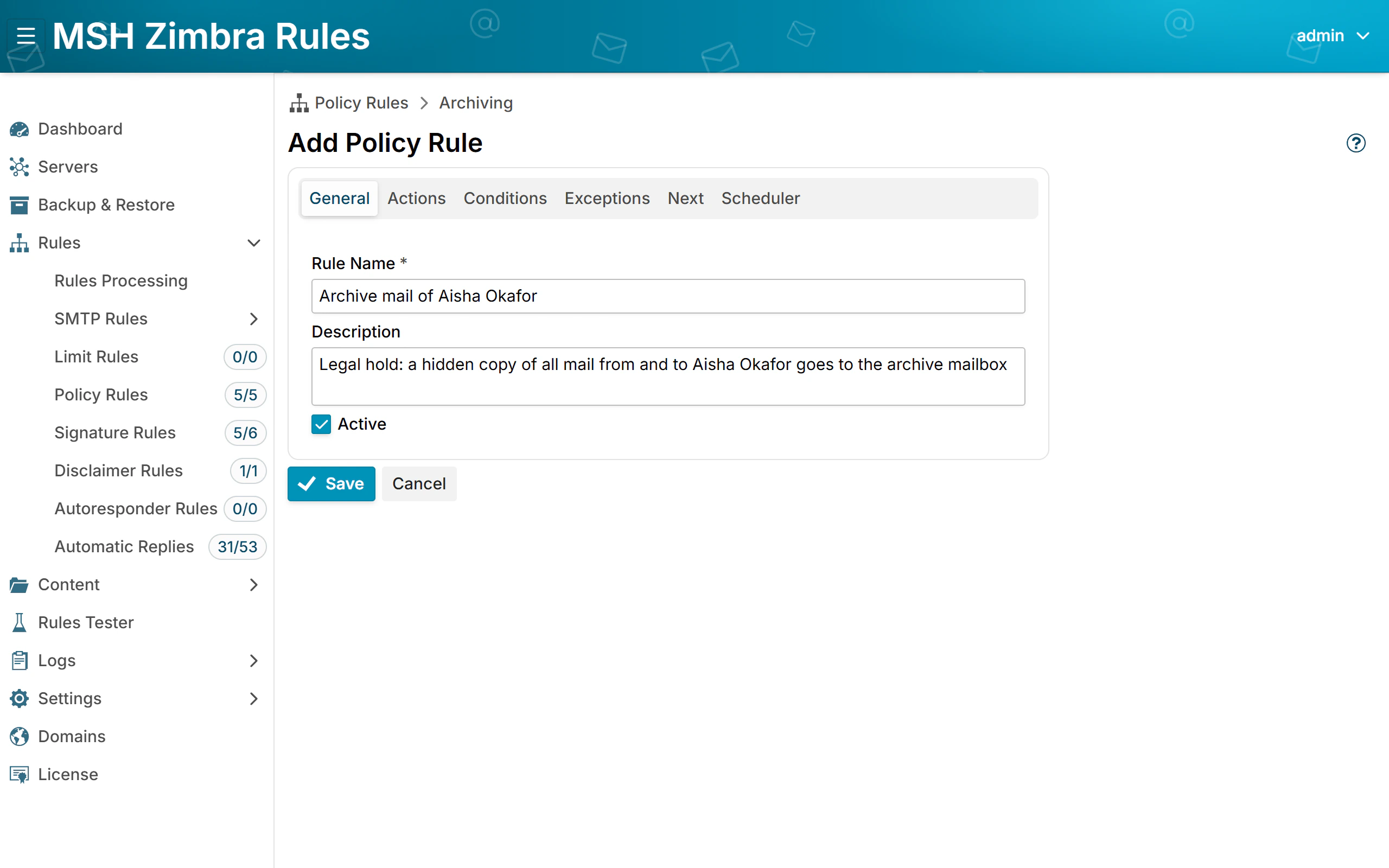
Open Rules > Policy Rules, add a group Archiving and in it a rule
Archive mail of Aisha Okafor:
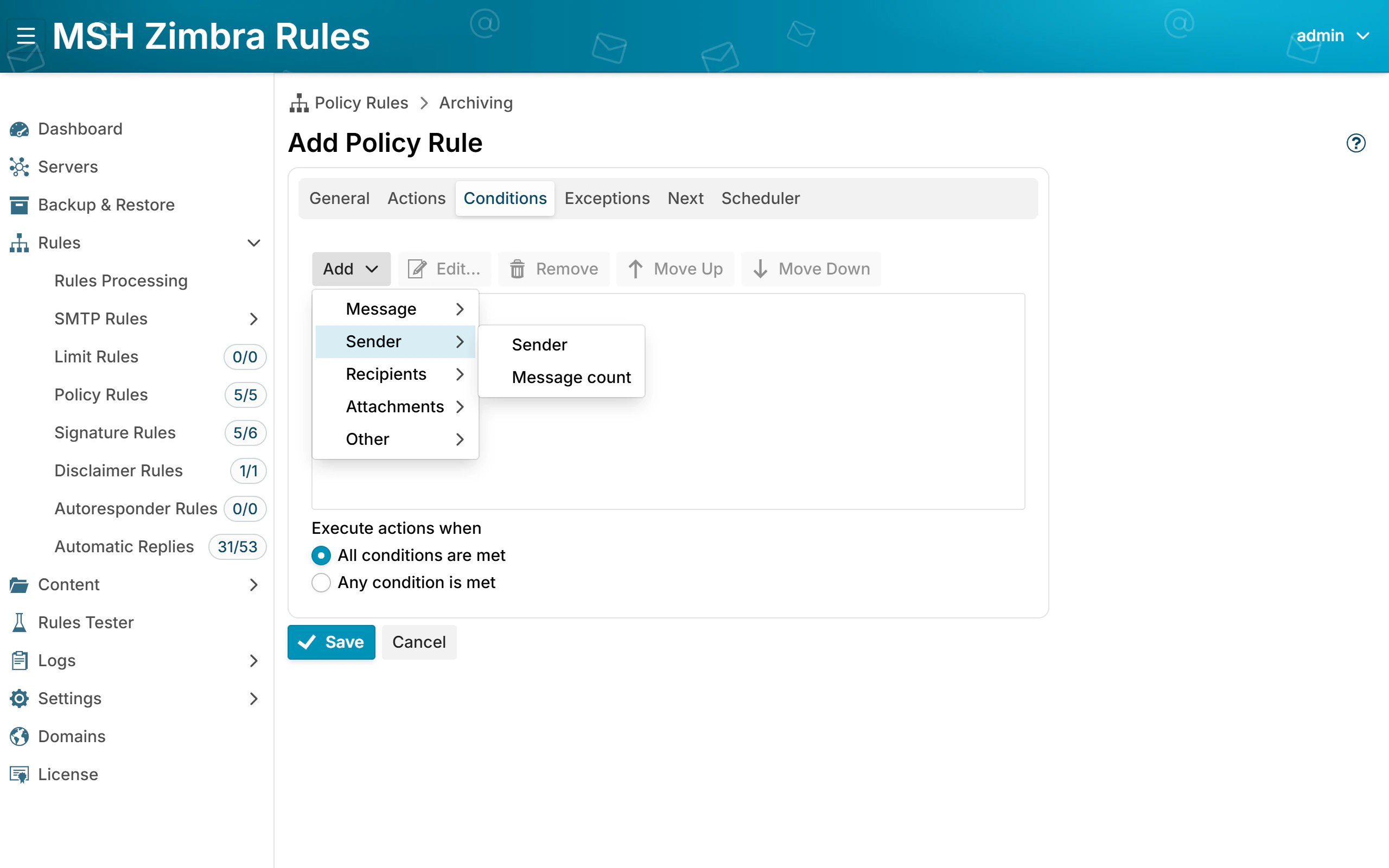
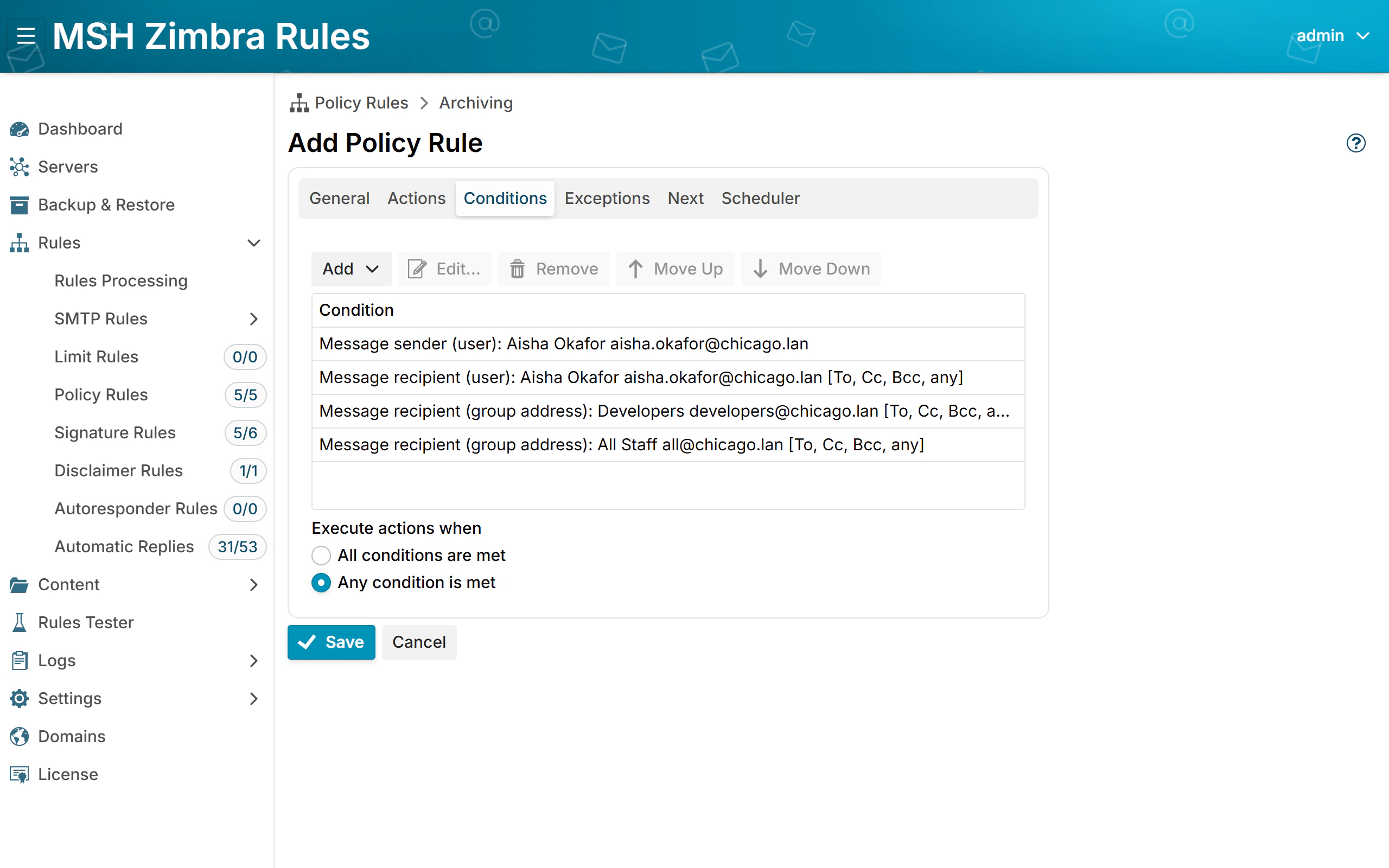
- Conditions, with Any condition is met:
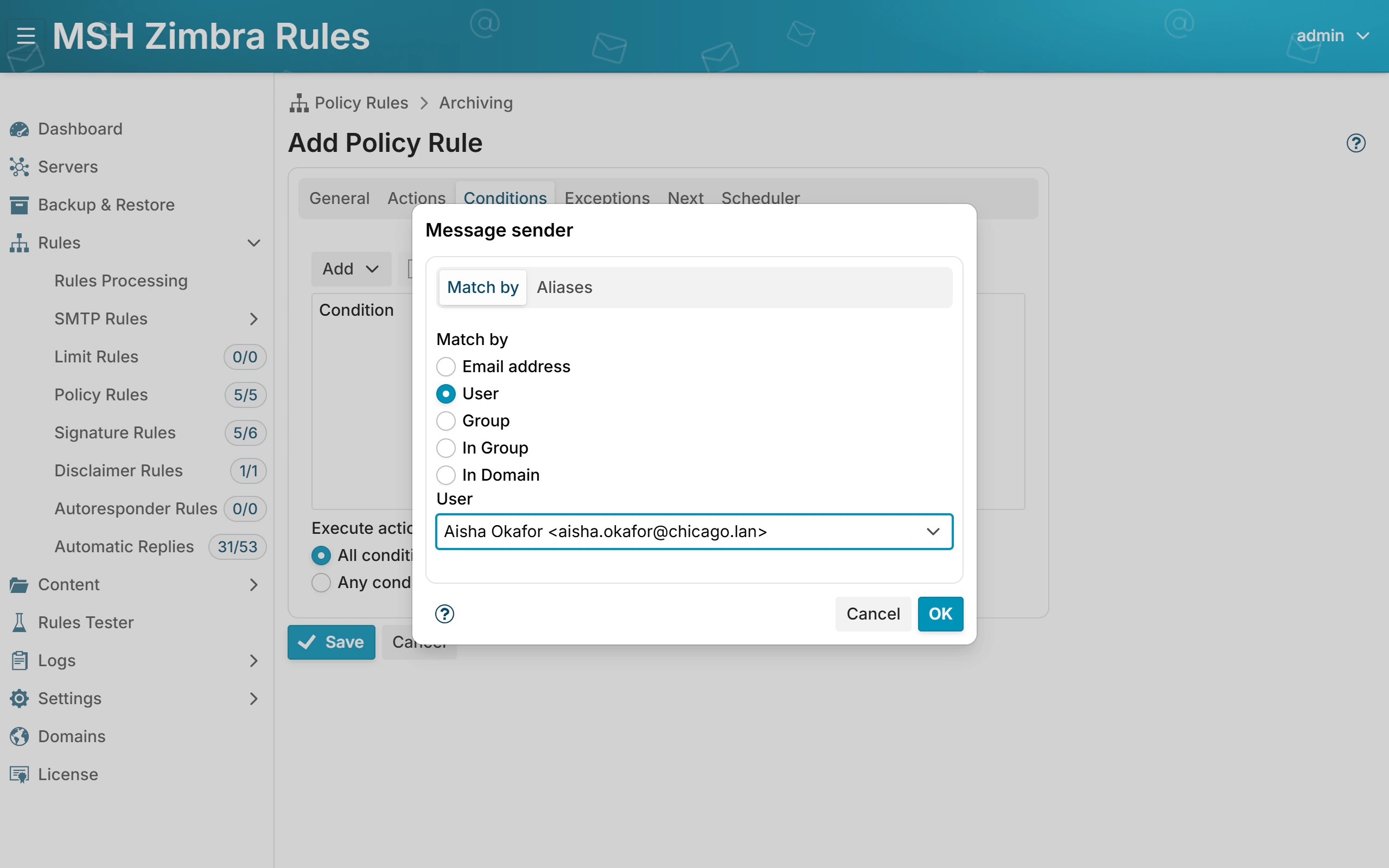
- Sender > Sender, User, the person.
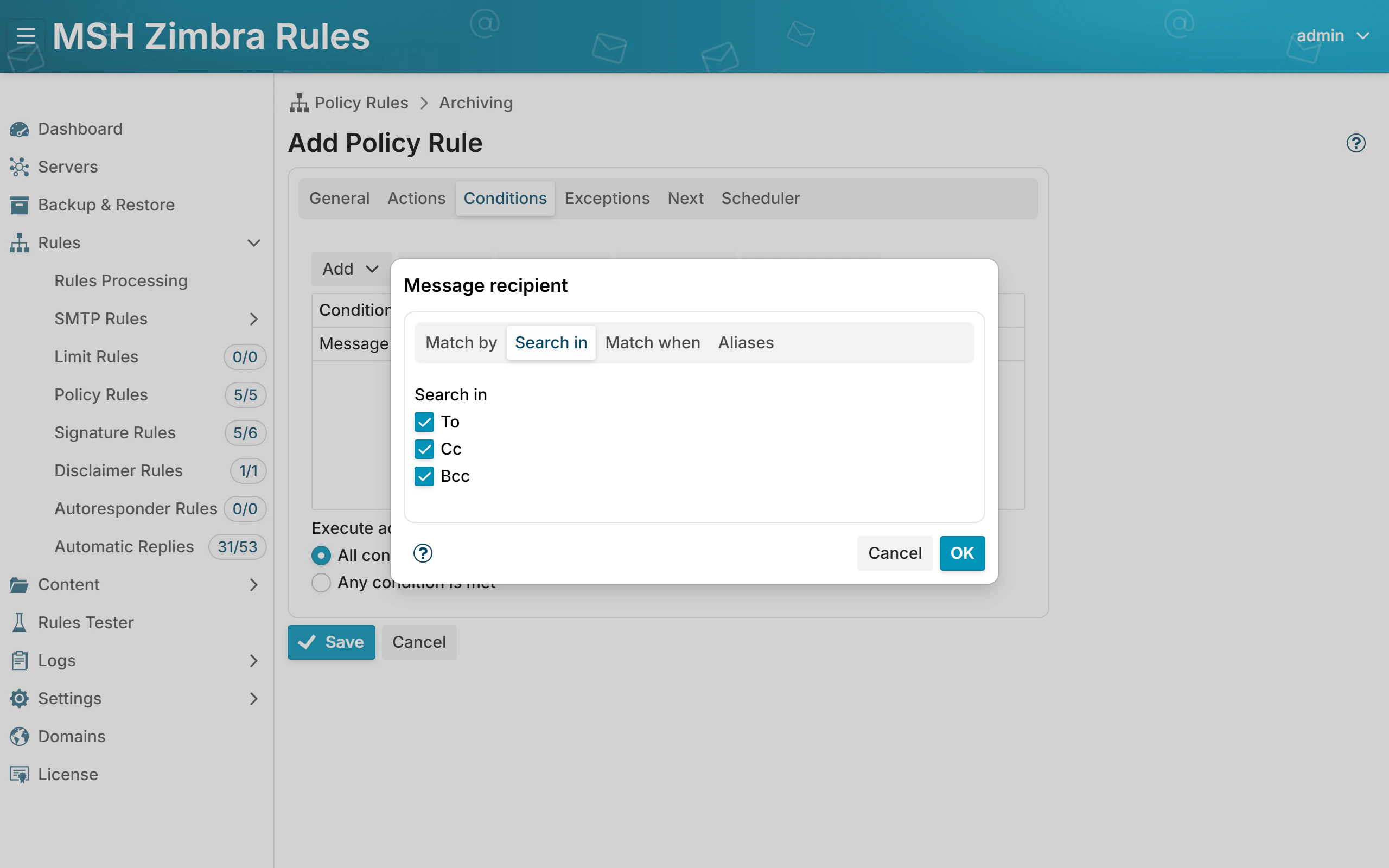
- Recipients > Recipient, User, the person, and on its Search in tab To, Cc and Bcc. Only To is ticked by default, which would miss the messages where the person is in Cc or Bcc.
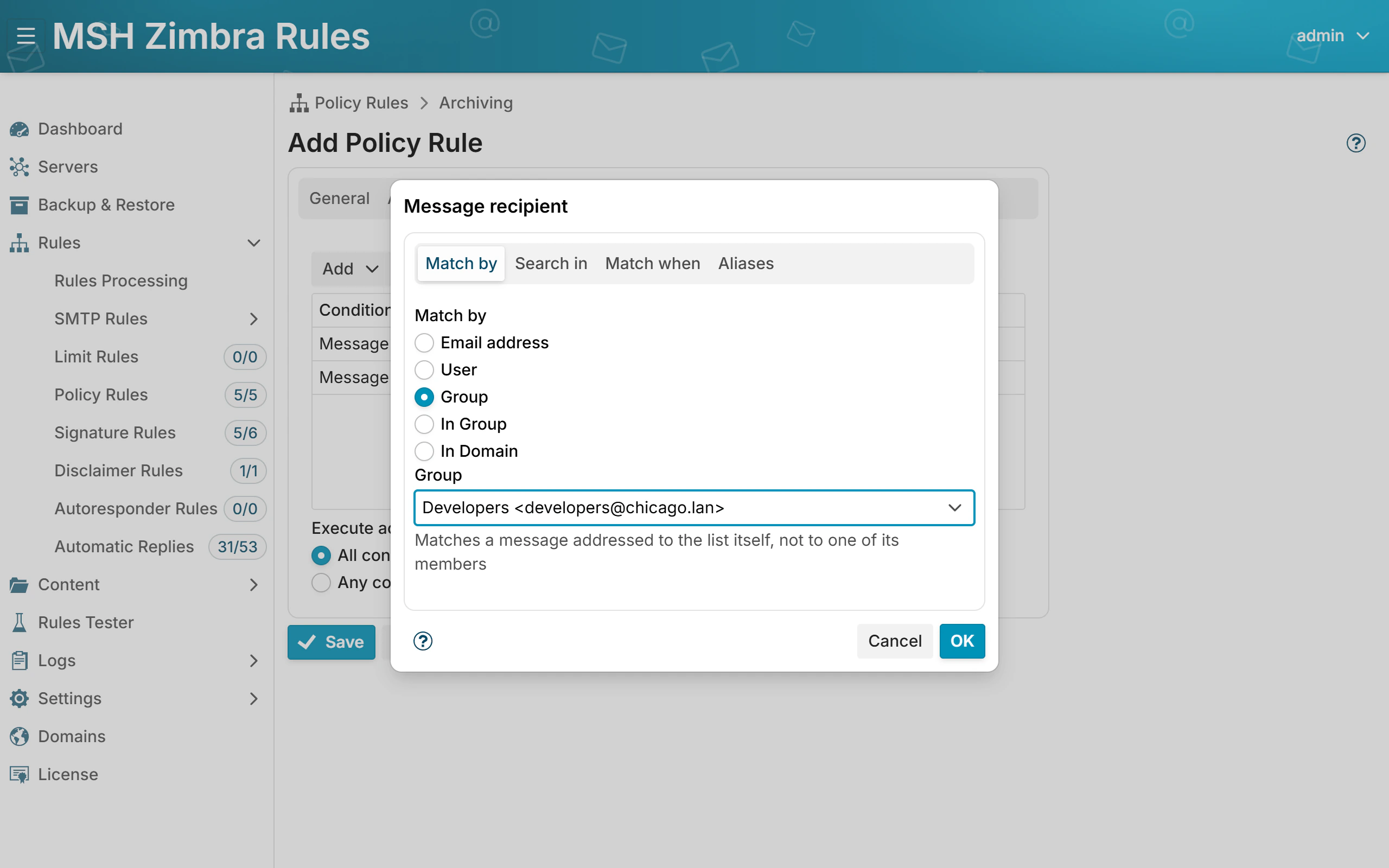
- Recipients > Recipient, Group, once for each distribution list the person is on, here Developers and All Staff, again with To, Cc and Bcc. See why lists need their own condition.
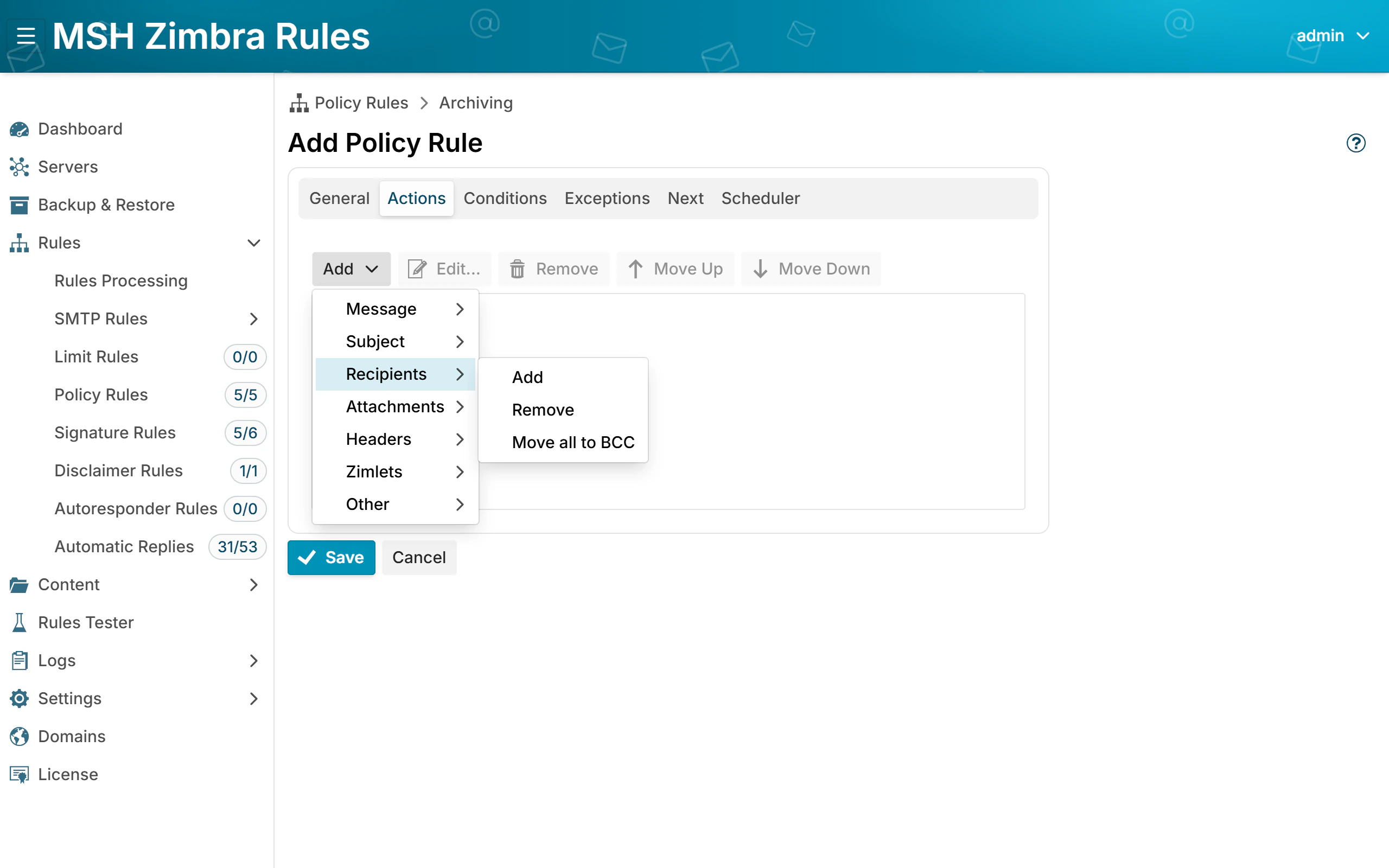
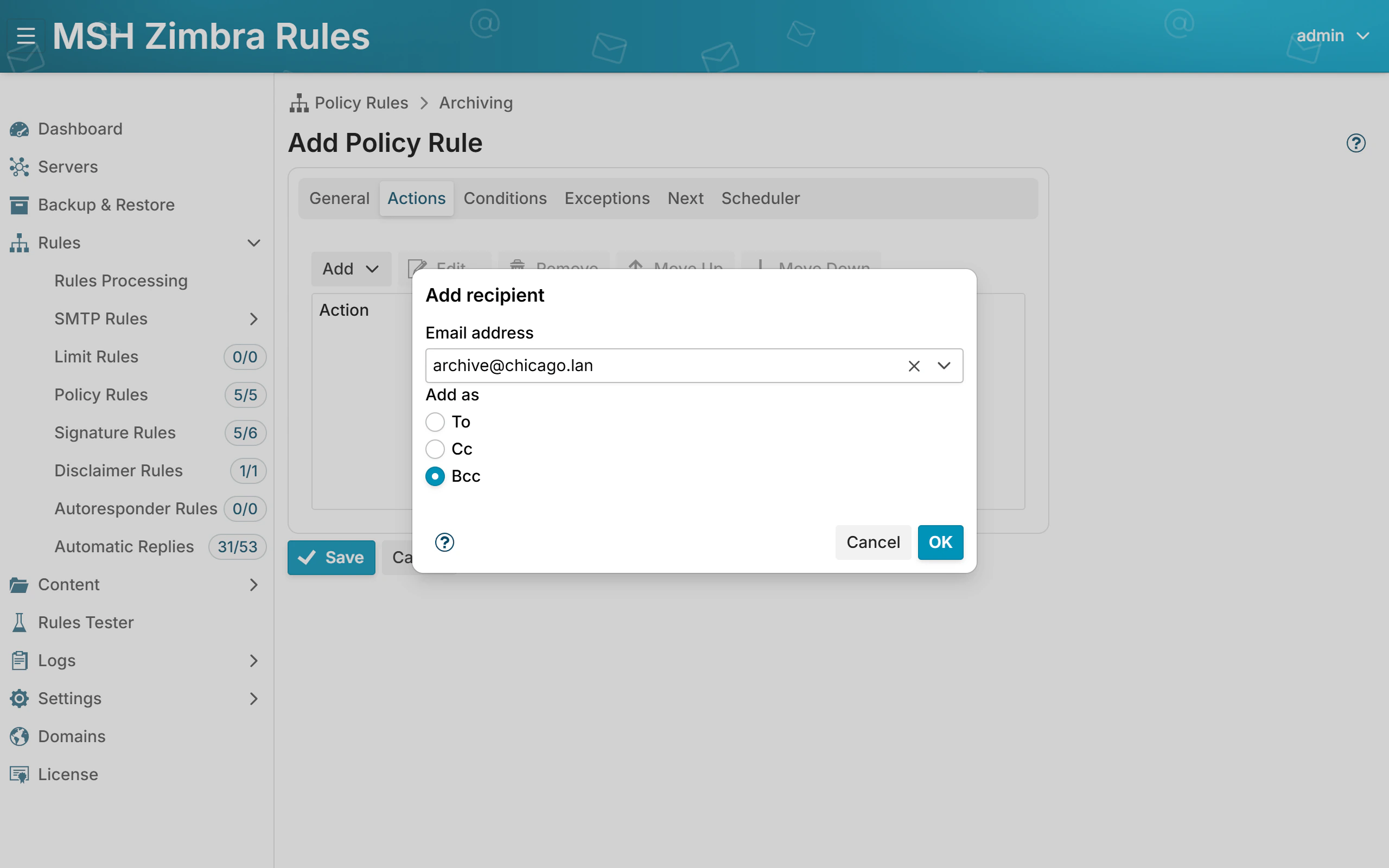
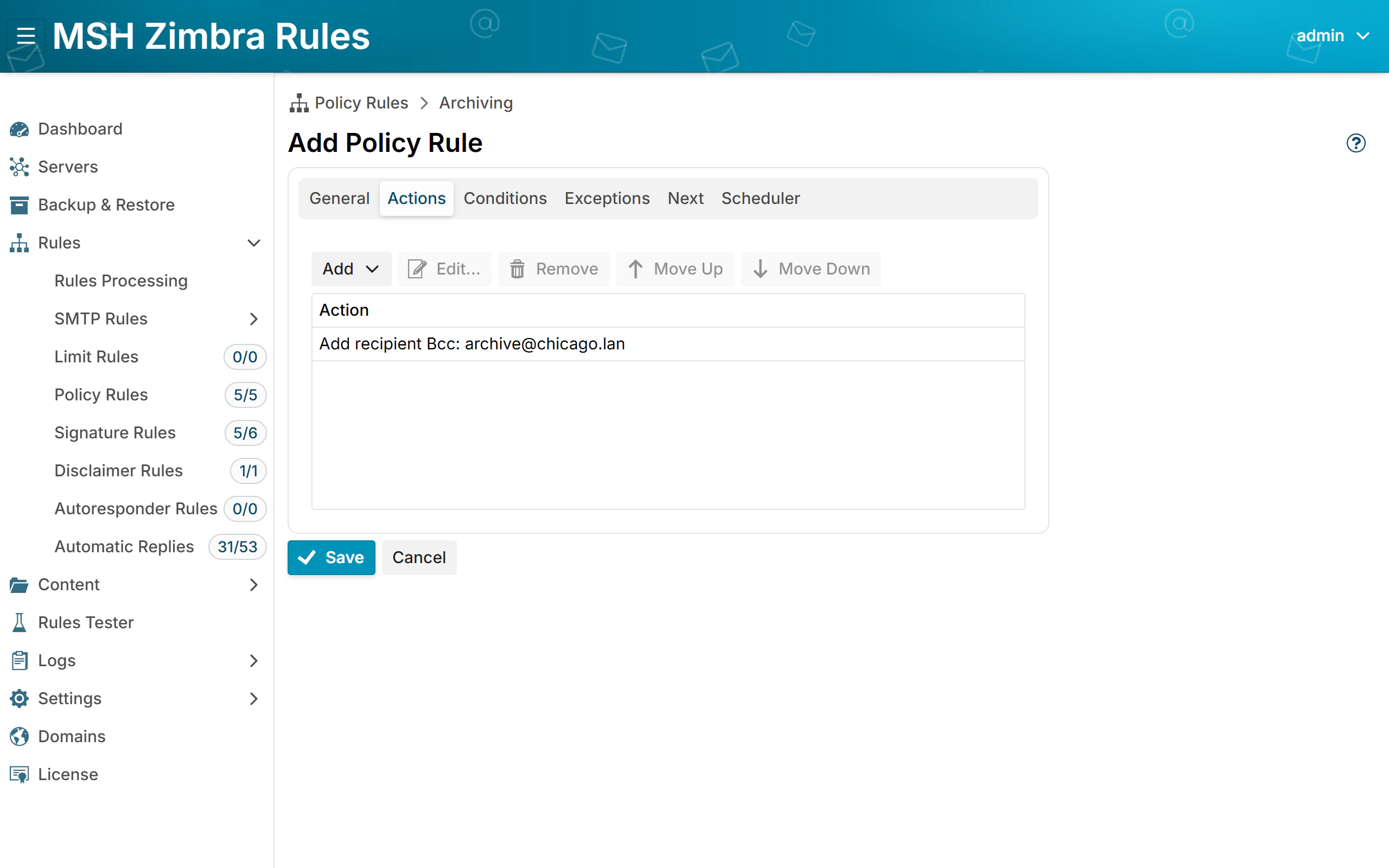
- Actions: Recipients > Add, the address of the archive mailbox, Add as Bcc.
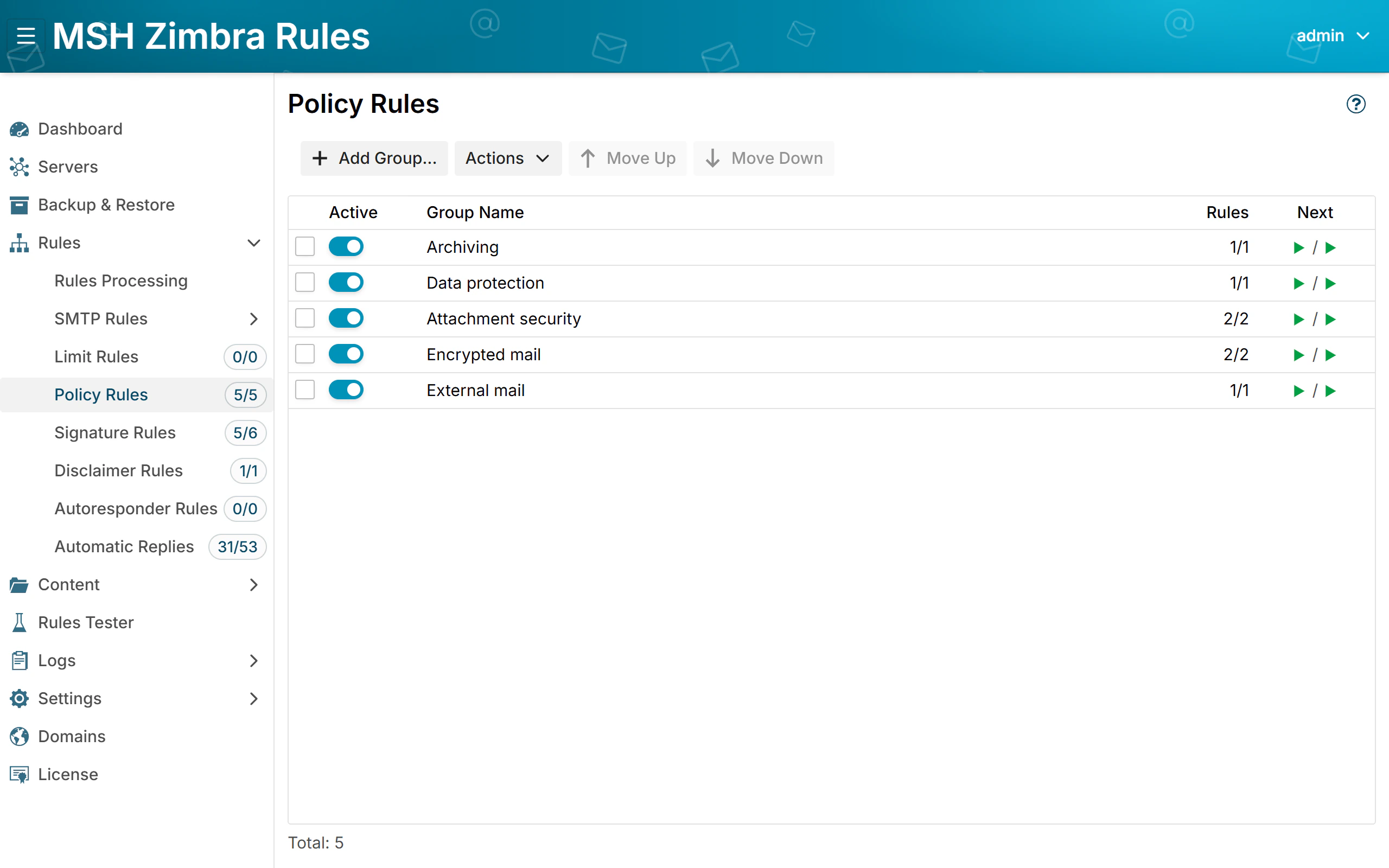
Policy rule groups run from the top. A group above Archiving that is set to Stop processing more rules would end the processing before the archive rule, so put Archiving first, and leave its own Next setting on Go to the next rules group, so that the other groups still run. See Rules group.
Saved rules reach the mail servers usually within a minute. Messages sent in that minute are not copied yet.
Why lists need their own condition
A message to a distribution list carries the list's address, such as
developers@example.com, while the rules run. The list is expanded into its members
only after the rules have run. A Recipient condition for the user therefore does not match
a message sent to a list the user is on, and without the Group conditions the user
gets the message but the archive does not.
In Group does not help here: it asks whether a recipient is a member of a group, and the list's own address is not a member of anything. Use Group, which matches the list address itself, one condition per list. When the person joins or leaves a list, update the rule.
Variations
- A whole team. Use In Group instead of User in the sender and recipient
conditions, for example Management, plus a Group condition for the
management@list itself. - A whole domain, journaling. Use In Domain. For every message that passes the server, use Message > All messages as the only condition. Expect the archive to grow as fast as all mailboxes together.
- A departing employee for a set time. Set the end date on the rule's Scheduler tab, so that the copies stop on their own.
- Only mail to and from outside. Make two rules with All conditions are met: the user as sender with Message > Direction, Outgoing, and the user as recipient with Direction, Incoming.
Test it
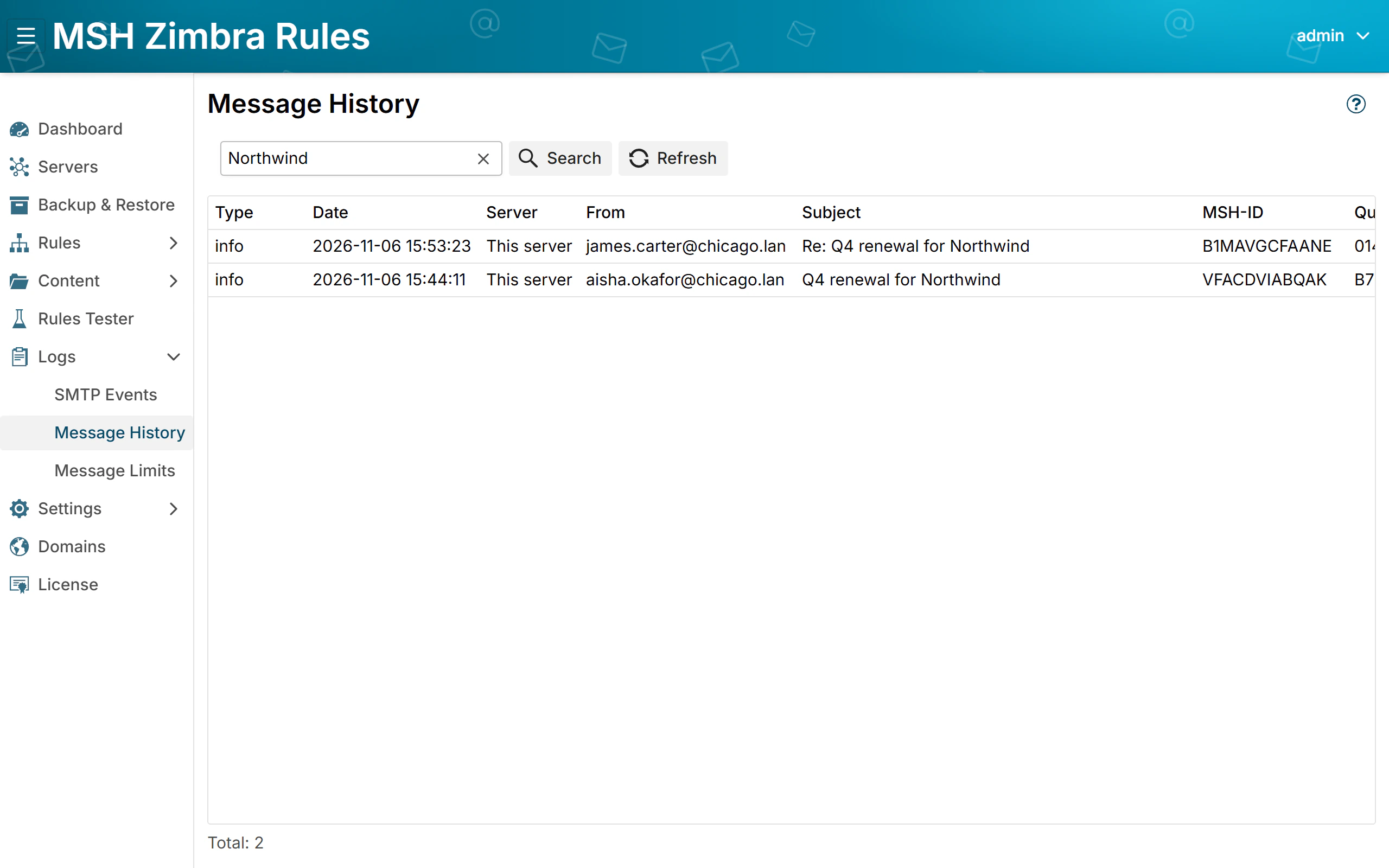
Send a message to the person, one from the person, and one to a list the person is on. Then check each of them:
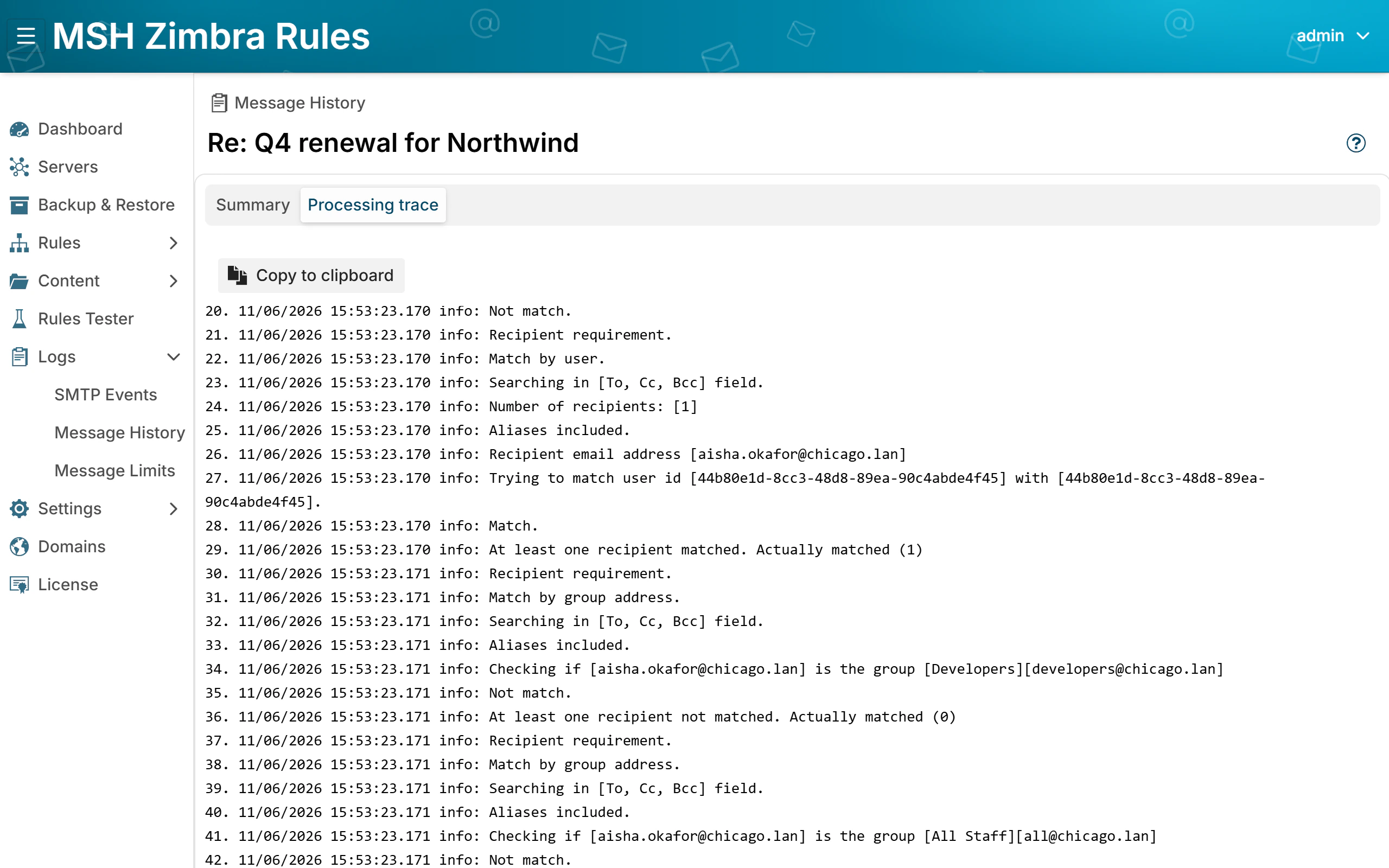
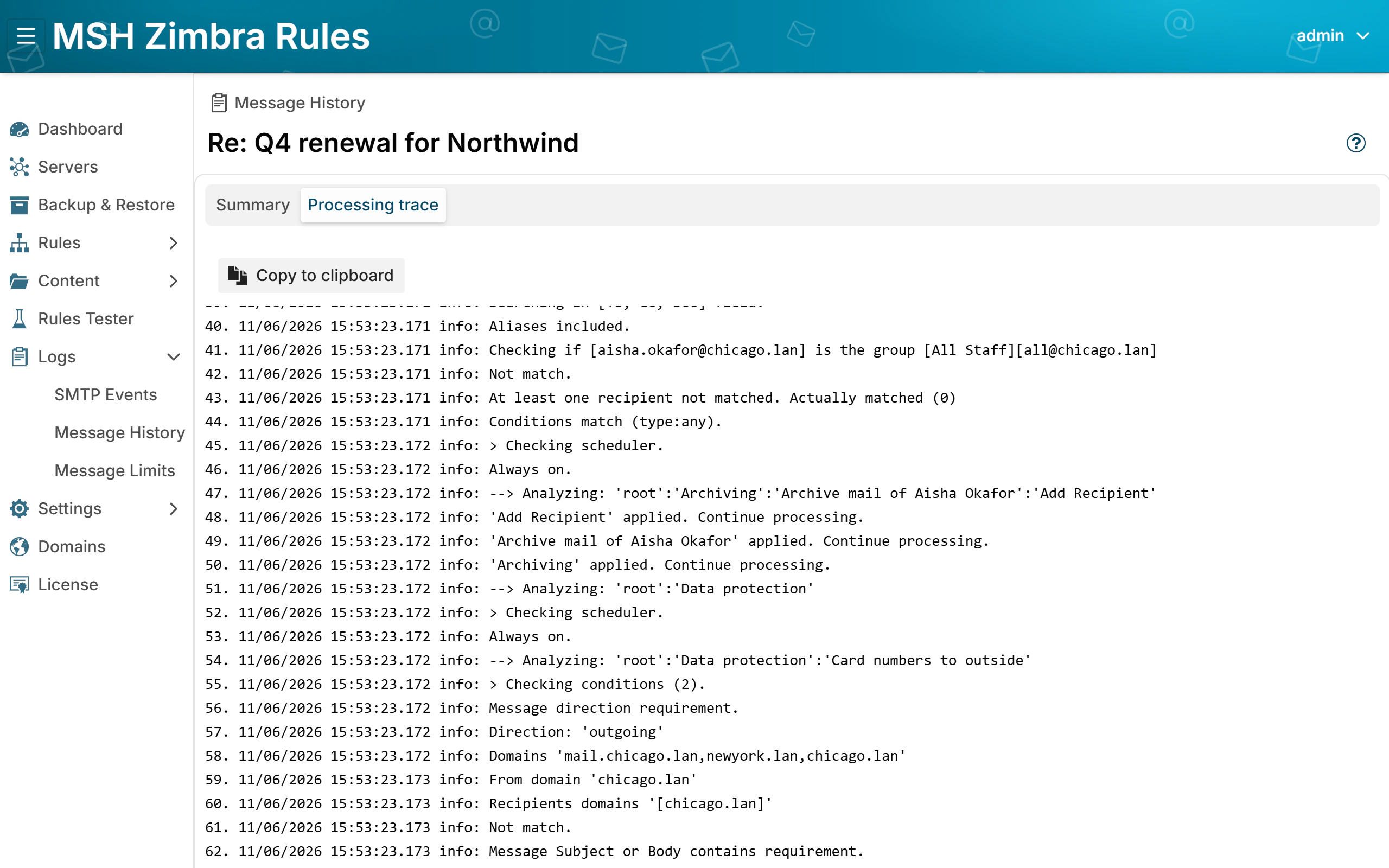
- In Logs > Message History, open the message. Its Processing trace shows
which condition matched and
'Add Recipient' applied. Message History lists messages only while Diagnostic logging is on. - In the Zimbra mail log,
/var/log/zimbra.logor/var/log/mail.logdepending on the system, the archive appears as one more recipient of the same queue ID:grep 'archive@example.com' /var/log/zimbra.log. When the archive is an alias, the line shows the account asto=and the alias asorig_to=. - Open the archive mailbox: the copy is there, and in the recipient's copy the To and Cc show no trace of the archive.
Storage and retention
- Quota. Keep the quota off, or watch it: a full archive refuses new copies, see Step 1.
- Retention. To delete copies after a set time, give the archive account a message
lifetime, for example seven years:
zmprov ma archive@example.com zimbraMailMessageLifetime 2555d. For a legal hold, leave it unset, so nothing is deleted. - Finding a person's mail. Search the archive with
from:andto:, or sort it into folders with Sieve filters in the archive account. - Access. Whoever can open the archive can read everybody's archived mail. Keep the password with the people who need it, and include the archive in your backups.
Good to know
- Blocked mail is not archived. A message that a Block message action refuses is refused for all its recipients, the archive included.
- Bcc only in the envelope. A message sent with the person only in Bcc matches as well: the rule sees the envelope recipients.
- Privacy. Copying a person's mail without telling them can be restricted by law, by an employment contract or by a works agreement, depending on the country. Check with whoever handles legal matters for your company before you turn the rule on, and turn it off when the reason for it ends.
Related reading
- Add recipient - the action that adds the archive
- Message recipient - User, Group, In Group and the Search in tab
- Message history - the processing trace of each message
- Stop Card Numbers from Leaving Zimbra by Email - another policy rule that looks at all outgoing mail
Want to try it on your own server? Start a free trial.