Message Notices
Message Notices shows users the notices your policy rules put on a message: a banner above the message, and a tag before the sender, such as an orange EXTERNAL with This message comes from outside the organization. It works in the Classic and in the Modern web client.
The rules decide which messages get a notice and what it says, with the actions Add message banner and Add sender tag. The zimlet only shows what the rules added, so a new kind of notice needs no change on the Zimbra side.
The message itself does not change: the notice travels in an X-MSH-Message-Notice header. The subject and the body stay as the sender wrote them, a reply quotes no warning, and the sender's DKIM signature still verifies.
What users see
Banner
A banner stands above the message being read. It can have an icon, a badge, a text and, at the end, a link.
- In the Modern web client it is above the body of the message.
- In the Classic web client it is at the top of the bar where the web client asks to display images, or at the top of the message when that bar is not shown.
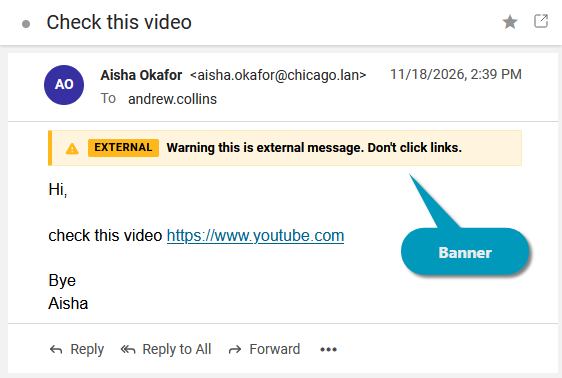
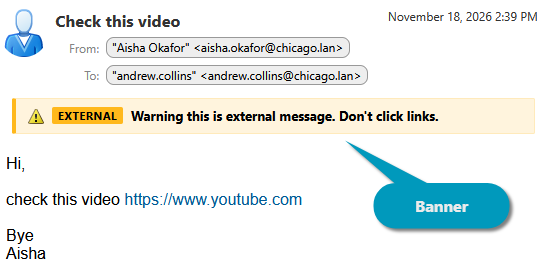
The link opens in a new tab. Its tooltip is the address, so users see where it leads before they click, whatever its text says.
Sender tag
A tag stands right before the sender's name, in the From line of the message being read and in the message list. Its text is the tooltip of the tag. A tag with an icon and no badge is a small tag with the icon only, which keeps the message list readable.
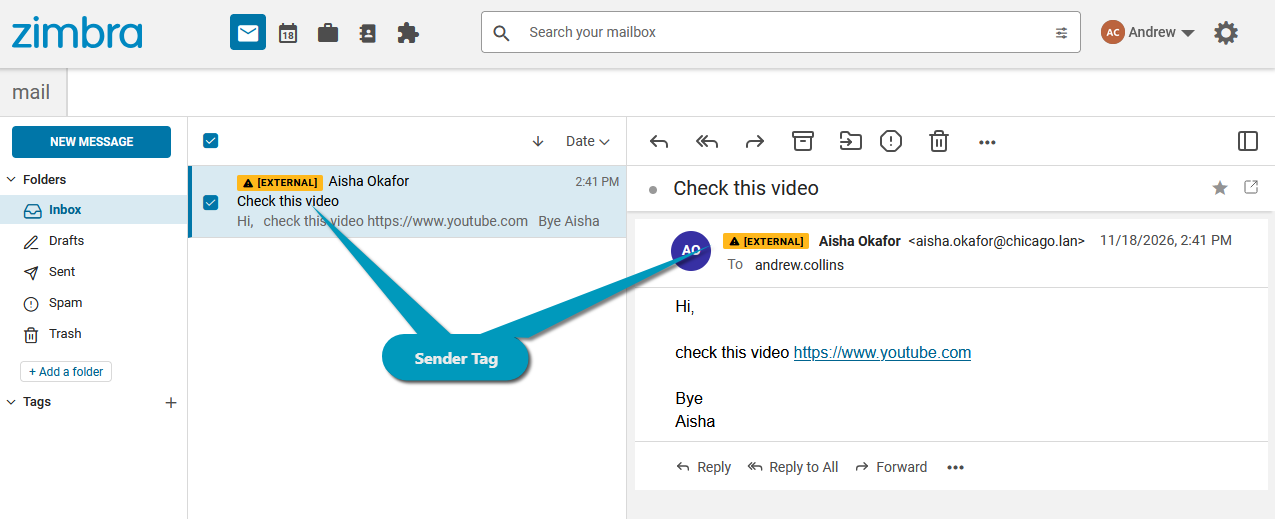
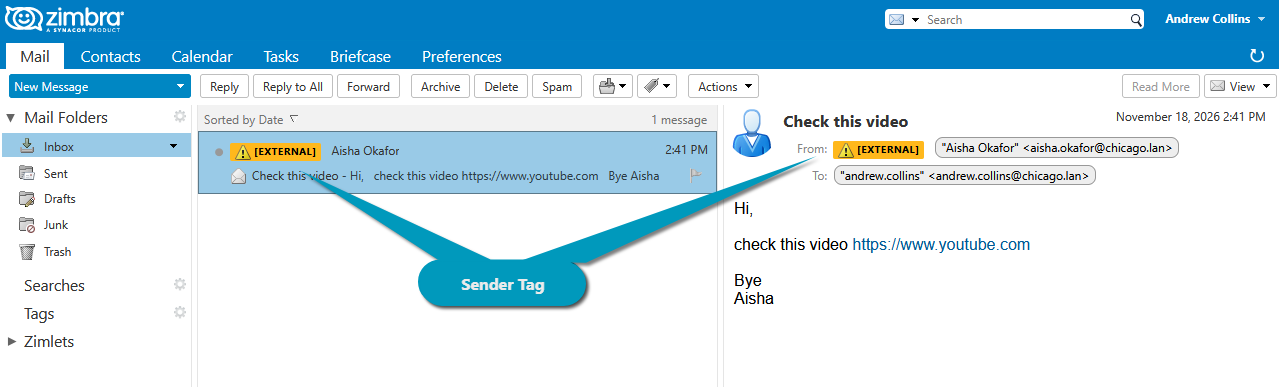
Several notices of one message stand next to each other, in the order the rules added them. Keep tags few and short: in the message list every tag pushes the sender's name aside.
Where notices are not shown
- Other mail clients. Outlook, phones and other IMAP or ActiveSync clients ignore the header and show the message without the notice. A warning that must reach them belongs in the message itself, for example a disclaimer at the top of the body or a tag in the subject.
- Conversation view. In the message list of the conversation view the rows are conversations, so they get no tag. The messages of an open conversation show their banners, and in the Modern web client their tags too.
- Folders shared with the user. In the Classic web client, messages of a folder another user shared get no tag in the message list.
- Messages delivered earlier. A notice is added when the message passes through the rules. A rule added or changed later does not change messages already in the mailboxes.
Forged notices
Anyone can send a message that already has an X-MSH-Message-Notice header, for example to show Verified internal sender or a phishing link in a banner that looks like yours. The milter removes every such header from every message before any rule runs, also when no rule matches and when rules processing is suspended. Only the notices your rules added reach the users.
For administrators
- Add notices with the policy rule actions Add message banner and Add sender tag, in the Zimlets group of the Add menu.
- Install the zimlets with Zimlet configuration on a single server, or Zimlets configuration in a multi-server installation. Message Notices reads the messages from Zimbra itself, so it does not need the Zimbra extension.
- Until the zimlets are deployed, the rules add the header but users see no notice.